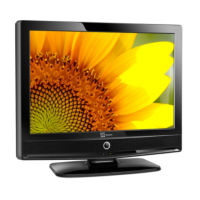
Need help?
Do you have a question about the Tele System PALCO 19 L02 and is the answer not in the manual?
Guidelines for safe power connection, cord handling, servicing, and replacement parts to prevent hazards.
Precautions regarding moisture, heat, cleaning, ventilation, and proper waste disposal of the TV and batteries.
Instructions for disconnecting the TV, headphone volume warning, and EU-specific disposal information.
Step-by-step guide for inserting batteries into the remote control handset for proper operation.
Information on the remote's effective range and how to switch the TV on and off.
Switching between various input sources (TV, DTV, HDMI, AV) and understanding AV mode operations.
How to use the TV's physical buttons and the remote control for volume, program selection, and menu navigation.
Displaying program information and using the Electronic Programme Guide for channel schedules.
Features for subtitle display, teletext services, and adjusting picture aspect ratios for optimal viewing.
Navigating the menu system specific to Integrated Digital Television (IDTV) services.
Browsing, reordering, renaming, and locking channels within the channel list.
Setting, adding, and removing channels from the favourite list for quick access.
Accessing TV setup, configuring options like audio, language, antenna, and software upgrades.
Implementing parental controls, maturity locks, menu restrictions, and managing the system PIN.
Configuring system parameters, band selection, colour systems, sound, fine-tuning, and channel search.
Managing channels by renaming, moving, deleting, and utilizing the Auto Programming System (APS).
Specific installation procedures and settings for when the TV is in AV input modes.
Adjusting picture modes (Cinema, Dynamic, Natural), zoom levels, and colour temperature for optimal viewing.
Controlling volume, using equalizer presets, adjusting speaker balance, and headphone settings.
Configuring AVL, SPDIF output, and sound effects for improved audio quality.
Setting sleep timers for automatic TV shutdown and enabling child lock for parental control.
Adjusting display features like zoom, background, backlight, and teletext language selection.
Addressing screen care, image persistence, and common picture quality problems.
Diagnosing and resolving issues related to power, sound output, and input source selection.
Troubleshooting remote control malfunctions and providing general usage tips.
Table detailing supported input signal types for AV and HDMI connections.
Technical details of SCART and HDMI connector pin assignments for connectivity.
Information on environmentally responsible disposal of electronic products and batteries.
 General
| Display Technology | LCD |
|---|---|
| Aspect Ratio | 16:9 |
| Response Time | 5 ms |
| Resolution | 1366 x 768 pixels |
| Input Ports | HDMI, VGA |

 To Next Page