EasyManua.ls Logo

TELECO AUTOMATION TVRGBDSY868A01 - User Manual

TELECO AUTOMATION TVRGBDSY868A01
16 pages
Print Icon
To Next Page IconTo Next Page
Loading...
TELECO AUTOMATION SRL - Via dell’Artigianato, 16 - 31014 Colle Umberto (TV) ITALY
TELEPHONE: ++39.0438.388511 FAX: ++39.0438.388536 - www.telecoautomation.com
This document is the property of Teleco Automation Srl who reserves all reproduction and copying rights
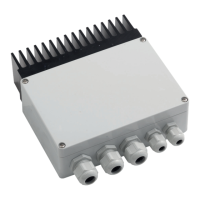
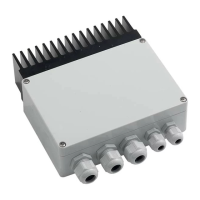
TVRGBDSY868A01 Master 350mA (868.3Mhz) TVRGBDSY868M01 Slave 350mA (868.3Mhz)
TVRGBDSY916A01 Master 350mA (916Mhz) TVRGBDSY916M01 Slave 350mA (916Mhz)
TVRGBDSY868B01 Master 700mA (868.3Mhz) TVRGBDSY868N01 Slave 700mA (868.3Mhz)
TVRGBDSY916B01 Master 700mA (916Mhz) TVRGBDSY916N01 Slave 700mA (916Mhz)
IT - Codici prodotto EN - Product codes FR - Codes du produit DE - Artikelnummern
T1T2T3
Led 1
P1
P2
P3
Led 2
Led 3
Led 4
9
10
11
12
13
14
12-24V
IN
12-24V
OUT
COM
SLAVE OUT
(max. 5 slaves)
1
2
3
4
5
6
7
8
COM
B +
G +
R +
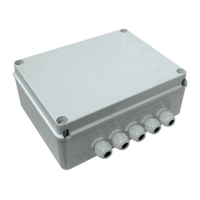
TVRGB000M01 Slave 350mA
TVRGB000N01 Slave 700mA
DOC.: T420.05
TVRGBDSYxxxA01-B01-M01-N01
DATE: 09/09/16
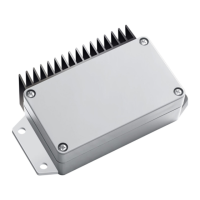
TVRGBDSYxxxM01 SyncroLED slave 350mA
TVRGBDSYxxxN01 SyncroLED Slave 700mA
TVRGBDSYxxxA01 SyncroLED master 350mA
TVRGBDSYxxxB01 SyncroLED master 700mA
165 mm
47 mm
IT - Foro per il fissaggio con vite (sotto lo sportello)
EN - Hole for fixing with screw (under the cover)
FR - Trou pour fixation avec vis (sous le couvercle)
DE - Loch für die Montage mit Schraube (unter dem Deckel)
40 mm
IT - Montaggio su superficie piana
EN - Flat surface mounting
FR - Fixation sur surface plate
DE - Montage auf ebene Oberfläche
70 mm
185 mm
IT - Foro per il fissaggio con vite (sotto lo sportello)
EN - Hole for fixing with screw (under the cover)
FR - Trou pour fixation avec vis (sous le couvercle)
DE - Loch für die Montage mit Schraube (unter dem Deckel)
IT - Montaggio su superficie piana
EN - Flat surface mounting
FR - Fixation sur surface plate
DE - Montage auf ebene Oberfläche
50 mm
(74 mm)
IT - Montaggio EN - Mounting FR - Fixation DE - Montage
IT - RICEVITORE RADIO PER IL CONTROLLO DI LED RGB CATODO COMUNE
EN - RADIO RECEIVER CONTROLLING RGB LED COMMON KATHODE
FR - RECEPTEUR RADIO POUR LE CONTROLE DES LEDS RGB AVEC CATHODE COMMUNE
DE - EMPFÄNGER ZUR ANSTEUERUNG VON RGB LED STRIPES – GEMEINSAME KATHODE
Question and Answer IconNeed help?

Do you have a question about the TELECO AUTOMATION TVRGBDSY868A01 and is the answer not in the manual?

Overview

This document describes the SYNCHROLED MASTER TVRGBDSYxxxA01-B01 and SYNCHROLED SLAVE TVRGBDSYxxxM01-N01 devices, which are part of a Teleco Automation RGB LED control system. These devices are designed for managing RGB LED lighting installations, offering both wired and wireless communication options.

Function Description

The SYNCHROLED system is designed to control RGB LED lighting, allowing for the creation and management of various lighting scenarios. The system consists of a MASTER unit and one or more SLAVE units. The MASTER unit acts as the central controller, transmitting commands to the SLAVE units, which then drive the RGB LED strips.

Key functionalities include:

  • RGB LED Control: The devices are specifically designed to control RGB LED strips, supporting various color combinations and dynamic effects.
  • Wired and Wireless Communication: The system supports both wired (via a 5-wire cable) and wireless communication between the MASTER and SLAVE units. This flexibility allows for installations where wiring is difficult or undesirable.
  • Scenario Management: Users can create, store, and recall different lighting scenarios, enabling customized lighting environments.
  • Color Selection and Adjustment: The system allows for precise selection of colors, including warm white, cold white, and various RGB combinations. Intensity adjustment for selected colors is also possible.
  • Dynamic Effects: Pre-programmed dynamic effects such as sequence, pause/play, and cycle activation/direction are available.
  • Channel Management: The system supports up to 7 channels for transmitting commands, allowing for control of multiple lighting zones or different types of effects.
  • Memory Functions: The MASTER unit can memorize various settings, including color presets, single channel commands, and remote control codes. SLAVE units can also memorize MASTER codes.
  • Remote Control Compatibility: The system is designed to work with Teleco Automation remote controls, offering a convenient way to manage lighting.

Important Technical Specifications

General:

  • Power Supply: 12-24V
  • Outputs: 3 (for RGB channels)
  • Maximum Output Current per Channel:
    • 350mA (4W @ 12V, 8W @ 24V)
    • 700mA (8W @ 12V, 16W @ 24V)
  • Operating Temperature Range: -20°C to +50°C
  • Input Cable Cross-section (Maximum Load): 2.5 mm²
  • Protection Rating: IP20

Wireless Communication (for TVRGBDSYxxxA01-B01 and TVRGBDSYxxxM01-N01):

  • Reception Frequency:
    • 868.3 MHz (TVRGBDSY868x01)
    • 916 MHz (TVRGBDSY916x01)
  • Radio Memory Capacity (Transmitters): 42

Wired Communication (for TVRGB000M01-N01):

  • Slave Current: 350mA or 700mA (depending on model)
  • Maximum Distance between MASTER and SLAVE: 5m (for optimal performance)

Usage Features

Installation:

  • Wiring: Connect the 12-24V power supply to the IN terminals and the RGB LED strips to the OUT terminals, ensuring correct polarity.
  • Connection to other devices: The connection cables must be suitable for the maximum load applied to the output, and to the additional devices connected to the input.
  • Wired SLAVE Connection: For wired installations, connect the MASTER to up to 5 SLAVE units using a 5-wire cable. Each SLAVE can be connected to up to 5 standard SLAVEs by cable.
  • Wireless SLAVE Connection: For wireless installations, SLAVE units receive commands from the MASTER via radio.

Operation with Remote Control:

  • Color Selection: Use the remote control buttons (CH1-CH7) to select colors or activate dynamic effects.
  • Intensity Adjustment: Press and keep the CH1..4 buttons to dim the light intensity of the selected colors.
  • Cycle Speed: Adjust the speed of dynamic effects using the CH6 button.
  • Pause/Play: Activate or deactivate dynamic effects.
  • Channel Memory: The remote control can memorize up to 7 channels for transmitting commands.
  • Color Presets: Modify and save custom color presets.
  • Single Channel Command Memory: Memorize a single channel command for quick recall.

Memory Functions:

  • MASTER Memory (for remote control codes):
    • Memorizing a MASTER: Press P1 on the SLAVE for 3 seconds. The SLAVE will emit a continuous sound. Then, press a button on the MASTER remote control (T1, T2, T3) or any button of a memorized transmitter. The SLAVE will emit an intermittent sound, confirming memorization.
    • Deleting a MASTER: Press P1 on the SLAVE 3 times and keep it pressed for 10 seconds on the third press. The SLAVE will emit an intermittent sound, then a continuous sound, confirming deletion.
  • Remote Control Code Memory (on the transmitter):
    • Memorizing a new code: Press P3 on the transmitter for less than 5 seconds. The transmitter will emit a continuous sound. Press the button relative to the new code. The transmitter will emit an intermittent sound.
    • Memorizing an existing code: Press P3 on the transmitter for 1 second. The transmitter will emit a continuous sound. Press the button relative to the code to memorize. The transmitter will emit an intermittent sound.
    • Remote memorization of further codes: Press P3 on the transmitter for less than 5 seconds (continuous sound), then press the button relative to the new code (intermittent sound). To memorize another code, press P3 again for less than 5 seconds (continuous sound), then press the button relative to the new code (intermittent sound).
    • Remote deletion of a code: Press P3 on the transmitter 3 times. The transmitter will emit a continuous sound. Press the button relative to the code to delete. The transmitter will emit an intermittent sound.

Activation/Deactivation:

  • SLAVE Activation/Deactivation: Press P2 on the SLAVE for 3 seconds. LED4 ON indicates activation, LED4 OFF indicates deactivation.

Maintenance Features

Error Handling and Troubleshooting:

  • LED Polarity: Ensure correct polarity when connecting the power supply and LEDs to prevent damage.
  • Power Supply: The power supply must be compliant with IEC60950-1 and protected against short circuit and overvoltage.
  • Product Placement: The product must not be enclosed or placed with insulating material such as glass wool, polystyrene, or similar materials. Adequate ventilation is required.
  • Wiring Check: Regularly check all wiring connections for proper contact and integrity.

General Maintenance:

  • Cleaning: Keep the devices clean and free from dust and debris to ensure optimal performance.
  • Firmware Updates: While not explicitly detailed in this document, it is generally good practice to check for any available firmware updates from Teleco Automation for improved functionality or bug fixes.

Safety Precautions:

  • Qualified Personnel: Installation and maintenance should be performed by qualified personnel.
  • Power Disconnection: Always disconnect power before performing any installation or maintenance work.
  • Compliance: The product complies with essential requirements and other relevant provisions established by Directive 1999/5/EC. The declaration of conformity can be consulted on the Teleco Automation website.

This system provides a comprehensive solution for controlling RGB LED lighting, offering flexibility in installation and a wide range of control options for creating dynamic and customized lighting environments.

TELECO AUTOMATION TVRGBDSY868A01 Specifications

General IconGeneral
BrandTELECO AUTOMATION
ModelTVRGBDSY868A01
CategoryReceiver
LanguageEnglish

Related product manuals