EasyManua.ls Logo

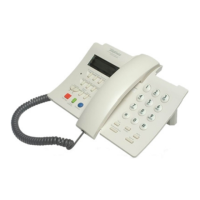
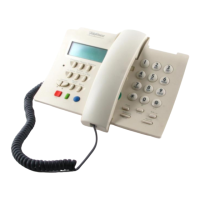
TELEFONICA Telefono DOMO - User Manual

TELEFONICA Telefono DOMO
32 pages
Print Icon
To Next Page IconTo Next Page
Loading...
Teléfono DOMO
English Translation
English Users Guide
Question and Answer IconNeed help?

Do you have a question about the TELEFONICA Telefono DOMO and is the answer not in the manual?

Summary

2. Installation

Connecting the cables to the telephone

Connects the telephone base and receiver using cables.

Connecting the telephone to the line

Connects the telephone base to the wall socket.

3. Setting Up the Domo Telephone

4. Dialling

Manual Dialling Methods

Dial numbers using the keypad, with receiver up or down.

5. Using the Directory

Entering a number in the Directory

Add new numbers and names to the phone's directory.

6. Direct Services Keys

Access to direct attention line

Connect to Telefonica's Customer Service Line (1004).

Access to European Emergency number

Dial the Universal Emergency Number 112.

Access to Telefonica operator service

Connect to Telefonica's Operator service (1077).

7. Mute Function

8. Answering a Telephone Call

9. Calling Line Identification Service (CLI)

10. Other Services

Divert incoming calls

Forward incoming calls to another number.

Call waiting

Handle incoming calls while already on a call.

3 way calling

Set up and manage three-way conference calls.

Accessing your messages

Listen to messages left on the answering machine.

Answering the waiting call

Accept a second incoming call during an active conversation.

11. Short Messages

13. What to Do If?

Message Sending Errors

Troubleshoot "ERROR ENVIO", "ERROR ACTIVESE", "ERROR DESTINO".

Specific Hardware Troubleshooting

Resolve LED issues, blank display, low ringer, or missing caller ID.

Memory and List Issues

Resolve low memory or full private list errors.

Factory Reset Procedure

Reset the telephone to its original factory settings.

Display and Connection Problems

Troubleshoot blank screens, no tones, or call divert issues.

Summary

2. Installation

Connecting the cables to the telephone

Connects the telephone base and receiver using cables.

Connecting the telephone to the line

Connects the telephone base to the wall socket.

3. Setting Up the Domo Telephone

4. Dialling

Manual Dialling Methods

Dial numbers using the keypad, with receiver up or down.

5. Using the Directory

Entering a number in the Directory

Add new numbers and names to the phone's directory.

6. Direct Services Keys

Access to direct attention line

Connect to Telefonica's Customer Service Line (1004).

Access to European Emergency number

Dial the Universal Emergency Number 112.

Access to Telefonica operator service

Connect to Telefonica's Operator service (1077).

7. Mute Function

8. Answering a Telephone Call

9. Calling Line Identification Service (CLI)

10. Other Services

Divert incoming calls

Forward incoming calls to another number.

Call waiting

Handle incoming calls while already on a call.

3 way calling

Set up and manage three-way conference calls.

Accessing your messages

Listen to messages left on the answering machine.

Answering the waiting call

Accept a second incoming call during an active conversation.

11. Short Messages

13. What to Do If?

Message Sending Errors

Troubleshoot "ERROR ENVIO", "ERROR ACTIVESE", "ERROR DESTINO".

Specific Hardware Troubleshooting

Resolve LED issues, blank display, low ringer, or missing caller ID.

Memory and List Issues

Resolve low memory or full private list errors.

Factory Reset Procedure

Reset the telephone to its original factory settings.

Display and Connection Problems

Troubleshoot blank screens, no tones, or call divert issues.

TELEFONICA Telefono DOMO Specifications

General IconGeneral
TypeCorded
Caller IDYes
Call WaitingYes
RedialYes
Volume ControlYes
Ringer SettingsAdjustable
DisplayLCD
Power SourceTelephone line