English - 36 -
Startup Volume Value
Set the startup volume value of the TV volume. This option can not be set to a value greater than the one
set in the ‘Volume Limit’ option.
Startup Volume Value (Headphone)
Set the startup volume value of the headphone volume. This option can not be set to a value greater than
the one set in the ‘Volume Limit (Headphone)’ option.
Fixed Volume Enable
Set as ‘OnFixed Volume Value” menu item.
Fixed Volume Value
the ‘Volume Limit’ option.
Headphone Direct Volume
Set as ‘Enabled’ to control the headphone volume through remote control. When this feature is enabled,
volume control buttons will not change the TV’s main sound. You can change the sound of the TV using the
Left/Right directional buttons of the remote control.
Note: If one of the Startup Volume Enable and the Fixed Volume Enable options is set as On, the other one will be
unavailable to be set.
OSD Disable
The default value is set as ‘Disable Setup Menus’ for hotel mode. You can block all menus by setting this item
as ‘Disable All Menus’. You can also set as to deactivate this function.
Invisible Setup Menus are:
Settings menu: Network, Installation
Teletext
You can enable or prohibit the teletext services(or MHEG if available) by setting this item as ‘On’ or ‘’.
Copy To USB (USB cloning)
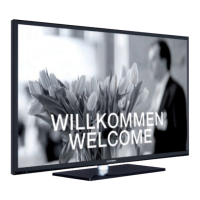
You can copy the NVRAM data (service list, preferences, etc.) and the welcome image as “hotel_wel.png” to a
USB device using this option. Highlight Copy To USB option and press OK
Copy From USB (USB cloning)
You can copy the NVRAM data (service list, preferences, etc.) and the welcome image from a USB device
using this option. Highlight Copy From USB option and press OK, select the directory named as “clonexxxxx”
and press OK
The welcome image should be named as “hotel_wel.png” and copied into a directory named as “CLONE00001”
on the USB device. After selecting the Copy From USB option and pressing the OK button highlight the folder
“CLONE00001” and then press OK. Options menu appears. Select Copy from USB and press OK in order to
Note: USB device, which will be used for USB cloning functions, must be FAT32 formatted.
Export Channel List to USB (optional)
You can copy the Channel List from TV to a USB device using this option.
Import Channel List from USB (optional)
You can copy the Channel List from a USB device to TV using this option.
Wakeup Time Channel
Set the channel, whose time information is to be used for wakeup timer. If this option is set as “0”, time information
of the channel which is being watched will be used.
Note: If hotel mode is active, ‘Add wake up timerTV/Timers
the TV will wake up automatically on desired time.
Wakeup Time Volume
Set the wakeup volume value of the TV. This value can’t be set to a value greater than the one set in ‘Volume
Limit’ menu item under the Volume Settings menu.



 To Next Page