EasyManua.ls Logo

Telefunken TF-LED32S7T2 - User Manual

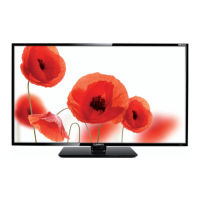
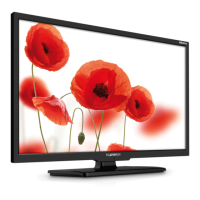
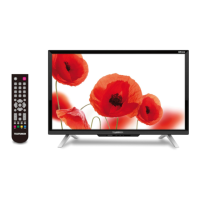
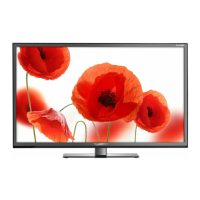
Telefunken TF-LED32S7T2
33 pages
Print Icon
To Next Page IconTo Next Page
Loading...
Table of contents
3
LED TV/
Телевизор цветного
изображения c
жидкокристаллическим
экраном
TF-LED32S7T2
Instruction manual
Руководство по
эксплуатации

Table of Contents

Questions and Answers

  • K
    kimberlysmithJul 31, 2025
    What to do if my Telefunken LED TV has no sound?
    • S
      shawnmooreJul 31, 2025
      If there is no sound on your Telefunken LED TV, ensure the audio signal cord is properly connected. Also, verify that the sound system settings are correctly configured.
  • B
    Brandi JohnsonAug 5, 2025
    Why does my Telefunken TF-LED32S7T2 LED TV have abnormal picture and sound?
    • J
      James PerkinsAug 5, 2025
      If the picture and sound on your Telefunken LED TV are abnormal, the contrast and color settings may be incorrect. Also, the color or sound system settings might be improperly configured. Adjust the contrast and color values appropriately, and ensure the sound system is set correctly.
  • N
    Nicole GreerAug 10, 2025
    Why does my Telefunken LED TV picture look spotted or snowy?
    • R
      ronaldwilliamsAug 11, 2025
      If the picture on your Telefunken LED TV is spotted or snowy, the signal source might be low-grade or the signal quality might be poor. Try using a qualified signal cord to improve the signal.
  • L
    Lance WoodwardAug 16, 2025
    Why is my Telefunken LED TV showing a blue background?
    • I
      Isaac RamirezAug 16, 2025
      If your Telefunken LED TV displays a blue background, it could be due to a missing video signal or an improperly connected signal cord. Ensure the signal cord is correctly and securely connected.
  • J
    Jay ZhangAug 20, 2025
    How to fix a Telefunken TF-LED32S7T2 LED TV remote that is not working?
    • C
      Crystal MclaughlinAug 20, 2025
      If the remote control (RC) for your Telefunken LED TV isn't working, the batteries might be installed incorrectly or they may be exhausted. Make sure the positive and negative polarities are correct when installing the batteries, reattach the battery lid, and try replacing the batteries with new ones.
  • D
    Daryl ParkerAug 25, 2025
    How to fix abnormal picture in VGA mode on Telefunken LED TV?
    • P
      pblakeAug 26, 2025
      If the picture in VGA mode on your Telefunken LED TV is abnormal, the PC settings might be incorrect. Check and adjust the resolution parameters on your PC.

Summary

Before you start

Utilization of the product

Information on proper disposal and recycling of the product to protect environment and health.

Important safeguards

Crucial safety precautions and warnings for safe operation, handling, and maintenance of the TV.

Installation

Base installation

Instructions for attaching the TV stand to the unit for stable placement.

Wall mounting

Guidance on using VESA brackets for securely mounting the TV on a wall.

Connection

Outdoor Antenna Connection

Details on connecting an external antenna to the TV's RF input terminal.

Other connections

Guide to connecting various external audio/video sources like DVD, PC, and headphones.

Operation

Control elements

Overview of the buttons and indicators on the TV unit for basic control.

Front panel

Description of controls located on the front side of the TV unit.

Back panel

Description of ports and connectors located on the back side of the TV unit.

Remote controller (RC)

Changing the battery

Instructions on how to replace the batteries in the remote control unit.

General operations

Signal sources

How to select and switch between different input sources like DTV, AV, HDMI, PC.

Teletext operations

Guide to accessing and navigating the Teletext service for information.

OSD operation

Picture setting

Detailed guide on adjusting picture parameters like brightness, contrast, and color.

Sound setting

Channel setting

Instructions for managing channels, including auto search and favorite lists.

Feature setting

Setup menu

Guide to configuring various TV settings like OSD timer, SCART, PC setup, and system reset.

USB operation

General playback information

Details on supported USB file systems, formats, and connection guidelines.

Operations of file playback

Instructions on how to play media files (music, photo, video) from a USB drive.

Electronic programme guide (EPG)

PVR;Timeshift function

How to use the TV to record programs and pause live TV.

Cl information

Guidance on using the Common Interface slot for encrypted services.

General Information

Troubleshooting

Common issues and solutions for problems like no picture, sound, or abnormal display.

Causes of interference

Explanation of external factors that can cause picture and sound disturbances.

Accessories

Specifications

Technical details and features of the LED TV, including dimensions and power consumption.

Telefunken TF-LED32S7T2 Specifications

General IconGeneral
BrandTelefunken
ModelTF-LED32S7T2
CategoryLED TV
LanguageEnglish

Related product manuals