Need help?
Do you have a question about the Telegärtner DoorLine TM4 and is the answer not in the manual?
Legal notice regarding the documentation and intellectual property rights.
Details on how the DoorLine Slim can be used as an intercom or for door opening.
Lists requirements for connecting to an analogue telephone connection and PBX system.
Provides detailed specifications including supply voltage, current, cable length, and operating temperature.
Emphasizes that assembly must only be carried out by specialists with corresponding skills and experience.
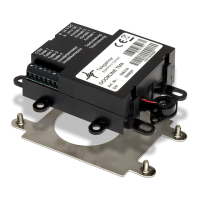
Lists the items included in the device package, such as the device itself, manual, power supply, and adapter.
Recommends checking all parts for completeness and damage before starting the assembly process.
Specifies suitable locations for concealed installation and ambient temperature limits.
Describes the method of installing the device using securing tabs or an adhesive pad.
Provides essential guidelines and warnings before connecting the device to the PBX system.
Details various types of telecommunication indoor and bell sheathed cables suitable for installation.
Specifies the maximum permissible cable lengths based on wire diameter for voice and door opener operation.
Describes the common connection types used for analogue connections of PBX systems in Germany.
Details the function of each terminal on the rear of the device for connecting lines.
A visual representation showing the connections between the DoorLine TM4, power unit, telephone system, and other components.
Illustrates a typical wiring setup for connecting a door opener and a door bell to the device.
Provides steps to verify if the installation and connections were successful.
Lists the default parameters that are preset ex works for the DoorLine TM4.
Outlines the procedure to reset the device to its original factory default configuration.
Explains the meaning of different tones heard during programming, indicating status.
Describes how to save the entered settings and exit the configuration mode.
Provides details on how to input special characters and numbers for call assignments.
Explains how to initiate the configuration process by calling the DoorLine from a telephone.
Describes the process by which the device automatically adapts to the connected PBX system for optimal performance.
Explains how to adjust the microphone sensitivity and loudspeaker volume in multiple stages.
Provides instructions on how to change the default PIN code for security purposes.
Explains how each bell pushbutton can be assigned up to two call numbers for different call reception modes.
Step-by-step guide on how to assign specific call numbers to each bell pushbutton.
Details the procedure for removing previously assigned call numbers from bell pushbuttons.
Explains how to activate or deactivate the door opener function for security reasons.
Describes how to set the duration for which the door opener remains active after activation.
Sets the maximum duration for a door conversation before it is automatically disconnected.
Sets the call duration for calls routed to PBX extension lines.
Determines how calls are received at the telephone after a bell pushbutton is pressed.
Explains the call reception method where a digit key press is required after answering.
Describes the call reception method where voice communication is established immediately upon answering.
Instructions on how to save primary and alternative call numbers for call forwarding.
Instructions on how to save primary and alternative call numbers for call forwarding.
Procedure for removing previously defined call numbers used for call forwarding.
Explains the use of two relay contacts for functions like door openers or door gongs.
Step-by-step guide to configure the function and assignment of relay contact 1.
Step-by-step guide to configure the function and assignment of relay contact 2.
Option to automatically disconnect the call immediately after the door opener is activated.
Describes the process of answering an incoming call from the door intercom system.
Instructions on how to activate the door opener function during a call.
Explains how to directly call the DoorLine from a telephone.
Steps to enable or disable call forwarding to other numbers.
Lists special input commands that can be used during an active voice communication session.
Guidance on storing the device in a suitable environment when not in use.
Instructions for safely de-energizing and disconnecting the device before disassembly.
Information on how to properly dispose of the device and its packaging materials.
 General
| Brand | Telegärtner |
|---|---|
| Model | DoorLine TM4 |
| Category | Intercom System |
| Language | English |

 To Next Page