
 Need help?
Do you have a question about the Telenot complex 200H BT 820 and is the answer not in the manual?
Definitions of key terms used throughout the manual, explaining system components and functions.
A list of abbreviations and their meanings used in the manual for clarity and conciseness.
Explanations of various icons and symbols used in the manual to convey important notices, tips, and warnings.
Diagram and explanation of the intruder alarm system's components, connections, and overall architecture.
Describes how the intruder alarm system can be divided into multiple independent or dependent partitions.
Explains the different operational states of the system: externally set, internally set, and unset.
Details the conditions and procedure for setting the system externally when no persons are present within the premises.
Explains how to set the system internally with persons present, including options for disabling specific detectors.
Describes the unset state, where the system is inactive but certain functions remain operational for monitoring.
Information on how the system indicates alarms and the procedures for resetting alarms, faults, and warnings.
Discusses the various types of detectors and their role in identifying and reporting different hazardous situations.
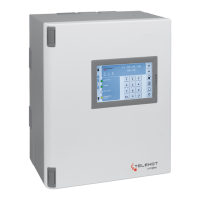
Overview of the physical layout, buttons, and indicators of the BT 800/801 touch keypad.
Details the elements and information presented on the primary "Keypad" screen page of the touch keypad.
Instructions on how to navigate and switch between different screen pages displayed on the keypad.
Explains the meaning, color coding, and function of the various icons displayed on the keypad.
Explains the function and customization options for the four freely parameterizable LEDs on the keypad.
Information regarding the keypad's display capabilities, including character limits and alternating text indications.
Describes the function of the numeric keypad buttons for inputting codes, digits, and navigating menus.
Details the functions of the various operating buttons on the keypad, used for navigation, control, and execution.
Explains the meaning of LED indications for different system operating states like Operation, Alarm, and Fault.
Describes the "Indication panel" screen pages, displaying statuses of input groups and enabling/disabling control.
Explains the "Overview" screen page as a summary view of other key pages without offering interactive functions.
Details the "Switching Functions" screen page for activating or deactivating specific system functions.
Guides on accessing the settings menu to adjust parameters like buzzer volume, display brightness, and color schemes.
Details the structure and features of the BT 820 keypad, including its two-line display, LEDs, and numeric pad.
Explains the concept of access levels (E1, E2, E3) and how codes are used to protect different functions on the keypad.
Provides an overview of how to navigate the keypad's menu system, which adapts based on the user's access level.
Explains how to access and interpret the alarm memory, detailing partition status, pending alarms, faults, and warnings.
Guides on performing an indication test to verify the functionality of the keypad's LEDs, display, and buzzer.
Details the procedure for conducting a walk test to check and configure the surveillance areas of motion detectors.
Explains how to exclude specific input groups from system setting, requiring installer parameterization.
Describes the override setting feature for bypassing setting prevention in emergencies, noting VdS compliance requirements.
Instructions on how to change the user's keypad access code, including rules for code length and security.
Explains the process for resetting tamper alarms, differentiating between VdS classes and installer intervention.
Provides information on how to view the software versions of the individual components within the intruder alarm system.
Guides on accessing and interpreting the event memory, which logs alarms, faults, settings, and unsettings.
Explains how to access the alarm counter to view the total number of alarms that have occurred in the system.
Describes how to disable keypad access codes for individual operators, useful when personnel changes occur.
Explains how to disable comlock/cryplock codes for switching devices, typically if a transponder is lost or compromised.
Guides on identifying transponders by holding them near a reader, displaying associated owner information.
Details how to enable remote or on-site service access for installers to maintain and manage the IACP.
Explains the process of enabling app access for installers to operate the IACP via a mobile application.
Step-by-step instructions for performing an external setting of the system partitions using the keypad interface.
Step-by-step instructions for performing an internal setting of the system partitions using the keypad interface.
Step-by-step instructions for unsetting system partitions using the keypad interface.
How to perform external setting while allowing a delayed response for specific detectors during the exit time.
How to perform unsetting with a delayed area function, affecting detector response during the entry time.
Instructions for clearing system alarms, faults, and battery warnings using the keypad interface.
Details the physical components, buttons, and indicators of the cryplock R/K-MD reader.
Details the physical components, LEDs, buttons, and buzzer of the comlock R-ED reader.
General overview of operating switching devices using readers, including transponder and numeric code methods.
Step-by-step guide for performing external setting using a reader with a transponder or numeric-pad code.
Step-by-step guide for unsetting the system using a reader with a transponder or numeric-pad code.
Instructions for changing the numeric-pad code on a reader using a specific change code and entry process.
General information on operating switching locks, covering shunt and pulse switching lock types.
Detailed steps for performing external setting and unsetting operations with a shunt lock.
Detailed steps for performing external setting and unsetting operations with a pulse switching lock.
Recommended actions for non-self-triggered and self-triggered alarms when the system is externally set.
Recommended actions for non-self-triggered and self-triggered alarms when the system is internally set.
 General
| Brand | Telenot |
|---|---|
| Model | complex 200H BT 820 |
| Category | Control Panel |
| Language | English |

 To Next Page
