EasyManua.ls Logo

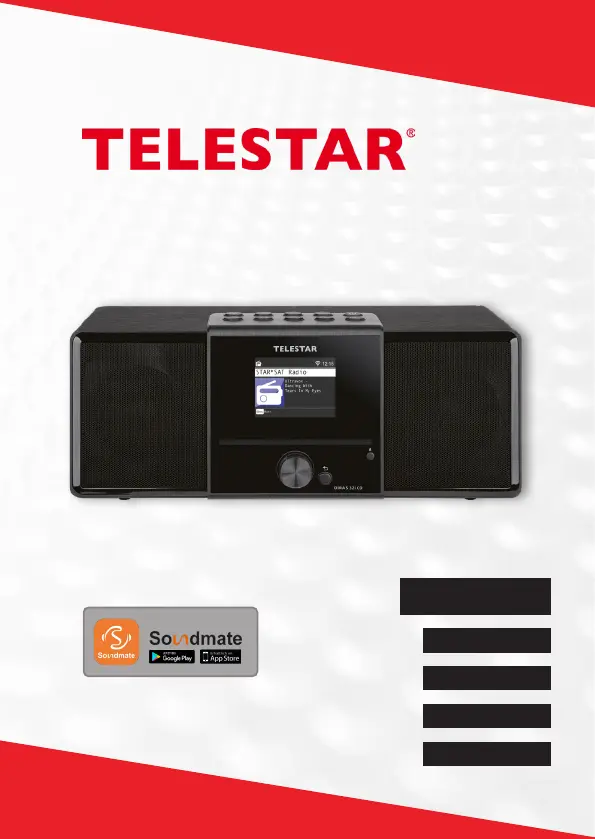
Telestar DIRA S 32i CD - User Manual

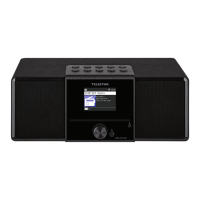
Telestar DIRA S 32i CD
432 pages
Go to English
Print Icon
To Next Page IconTo Next Page
Loading...
DIRA S 32i CD
English
Francais
Italiano
Nederlands
Deutsch
Bedienungsanleitung
Fernbedienung über App

Table of Contents

Questions and Answers

Summary

1. Preface and Intended Use

1.2. Intended Use

Defines the product as a consumer electronics device for radio reception and media playback, and specifies its intended private, non-commercial use.

2. Safety Instructions

Explanation of Symbols and General Safety

Details safety symbols (DANGER, WARNING, CAUTION, NOTE) and provides general safety guidelines for device usage.

Operational Safety and Risk of Injury

Outlines operational safety measures, electric shock/fire hazards, and risks from high volume audio output.

Device Protection, Batteries, and Legal Info

Covers protecting the device from damage, safe battery handling, cleaning, and legal information.

3. Scope of Delivery

4. Overview of Controls

5. Remote Control

Remote Control Button Functions (1-10)

Details the functions of key remote control buttons: Standby, Mode, Mute, EQ, Back, Navigation, Enter/OK, List, and Track controls.

Remote Control Button Functions (11-16)

Explains the operation of additional remote buttons: INFO, Menu, Rec/Eject, SLEEP, numeric keypad, and volume controls.

6. Installation

Initial Setup: Remote, Antenna, and Power

Steps for preparing the remote, connecting the antenna and power adapter for basic device setup.

Date, Time, and Network Configuration

Guidance on setting date/time modes, time zones, daylight saving, and configuring WiFi/network connection.

7. Settings

General Settings: Language, Date;Time, System

Configuration options for language, date/time synchronization, and accessing the system menu for various device settings.

Network, WiFi, and Alarm Settings

Steps for network setup, WiFi connection, and configuring alarm clock functionality.

Display, Location, Timer, and Software Settings

Options for standby display, backlight, location, sleep timer, software updates, and factory reset.

8. Operation

Radio Modes: DAB+, FM, and Internet Radio

Instructions for receiving and managing stations across DAB+, FM, and Internet radio modes, including searching and lists.

Media Playback: USB, Bluetooth, AUX, and UPnP

Guide to playing media from USB, Bluetooth devices, AUX input, and UPnP network sources.

Advanced Features: Recording, Cloud Music, App Control

Details on recording broadcasts, using cloud music services, operating via the Soundmate app, and CD player functions.

9. Troubleshooting

Common Audio and Connectivity Issues

Provides solutions for common issues like low volume, network/WiFi connection failures, and USB recognition problems.

Radio Reception and Playback Problems

Troubleshooting for DAB reception, radio glitches, no sound, and CD playback issues.

10. Storage and Brand Information

11. Disposal Information

Packaging and Device Disposal

Guidelines for disposing of packaging materials and the device itself, emphasizing recycling and adherence to EU directives.

Battery Disposal

Instructions for the separate disposal of batteries, warning against household waste and indicating proper collection methods.

12. Properties and Technical Data

Device Specifications: Audio, Connections, WiFi

Details technical specifications including audio codecs, reception ranges, connections, and WiFi interface parameters.

Adapter, General, and Battery Data

Technical data for the power adapter, general specifications like dimensions, weight, and remote control battery type.

13. Service and Support

14. CE Seal

Summary

1. Preface and Intended Use

1.2. Intended Use

Defines the product as a consumer electronics device for radio reception and media playback, and specifies its intended private, non-commercial use.

2. Safety Instructions

Explanation of Symbols and General Safety

Details safety symbols (DANGER, WARNING, CAUTION, NOTE) and provides general safety guidelines for device usage.

Operational Safety and Risk of Injury

Outlines operational safety measures, electric shock/fire hazards, and risks from high volume audio output.

Device Protection, Batteries, and Legal Info

Covers protecting the device from damage, safe battery handling, cleaning, and legal information.

3. Scope of Delivery

4. Overview of Controls

5. Remote Control

Remote Control Button Functions (1-10)

Details the functions of key remote control buttons: Standby, Mode, Mute, EQ, Back, Navigation, Enter/OK, List, and Track controls.

Remote Control Button Functions (11-16)

Explains the operation of additional remote buttons: INFO, Menu, Rec/Eject, SLEEP, numeric keypad, and volume controls.

6. Installation

Initial Setup: Remote, Antenna, and Power

Steps for preparing the remote, connecting the antenna and power adapter for basic device setup.

Date, Time, and Network Configuration

Guidance on setting date/time modes, time zones, daylight saving, and configuring WiFi/network connection.

7. Settings

General Settings: Language, Date;Time, System

Configuration options for language, date/time synchronization, and accessing the system menu for various device settings.

Network, WiFi, and Alarm Settings

Steps for network setup, WiFi connection, and configuring alarm clock functionality.

Display, Location, Timer, and Software Settings

Options for standby display, backlight, location, sleep timer, software updates, and factory reset.

8. Operation

Radio Modes: DAB+, FM, and Internet Radio

Instructions for receiving and managing stations across DAB+, FM, and Internet radio modes, including searching and lists.

Media Playback: USB, Bluetooth, AUX, and UPnP

Guide to playing media from USB, Bluetooth devices, AUX input, and UPnP network sources.

Advanced Features: Recording, Cloud Music, App Control

Details on recording broadcasts, using cloud music services, operating via the Soundmate app, and CD player functions.

9. Troubleshooting

Common Audio and Connectivity Issues

Provides solutions for common issues like low volume, network/WiFi connection failures, and USB recognition problems.

Radio Reception and Playback Problems

Troubleshooting for DAB reception, radio glitches, no sound, and CD playback issues.

10. Storage and Brand Information

11. Disposal Information

Packaging and Device Disposal

Guidelines for disposing of packaging materials and the device itself, emphasizing recycling and adherence to EU directives.

Battery Disposal

Instructions for the separate disposal of batteries, warning against household waste and indicating proper collection methods.

12. Properties and Technical Data

Device Specifications: Audio, Connections, WiFi

Details technical specifications including audio codecs, reception ranges, connections, and WiFi interface parameters.

Adapter, General, and Battery Data

Technical data for the power adapter, general specifications like dimensions, weight, and remote control battery type.

13. Service and Support

14. CE Seal

Telestar DIRA S 32i CD Specifications

General IconGeneral
BrandTelestar
ModelDIRA S 32i CD
CategoryReceiver
LanguageEnglish