User Manual AC6901
59300528 Rev.013
29.10.2014 5(16)
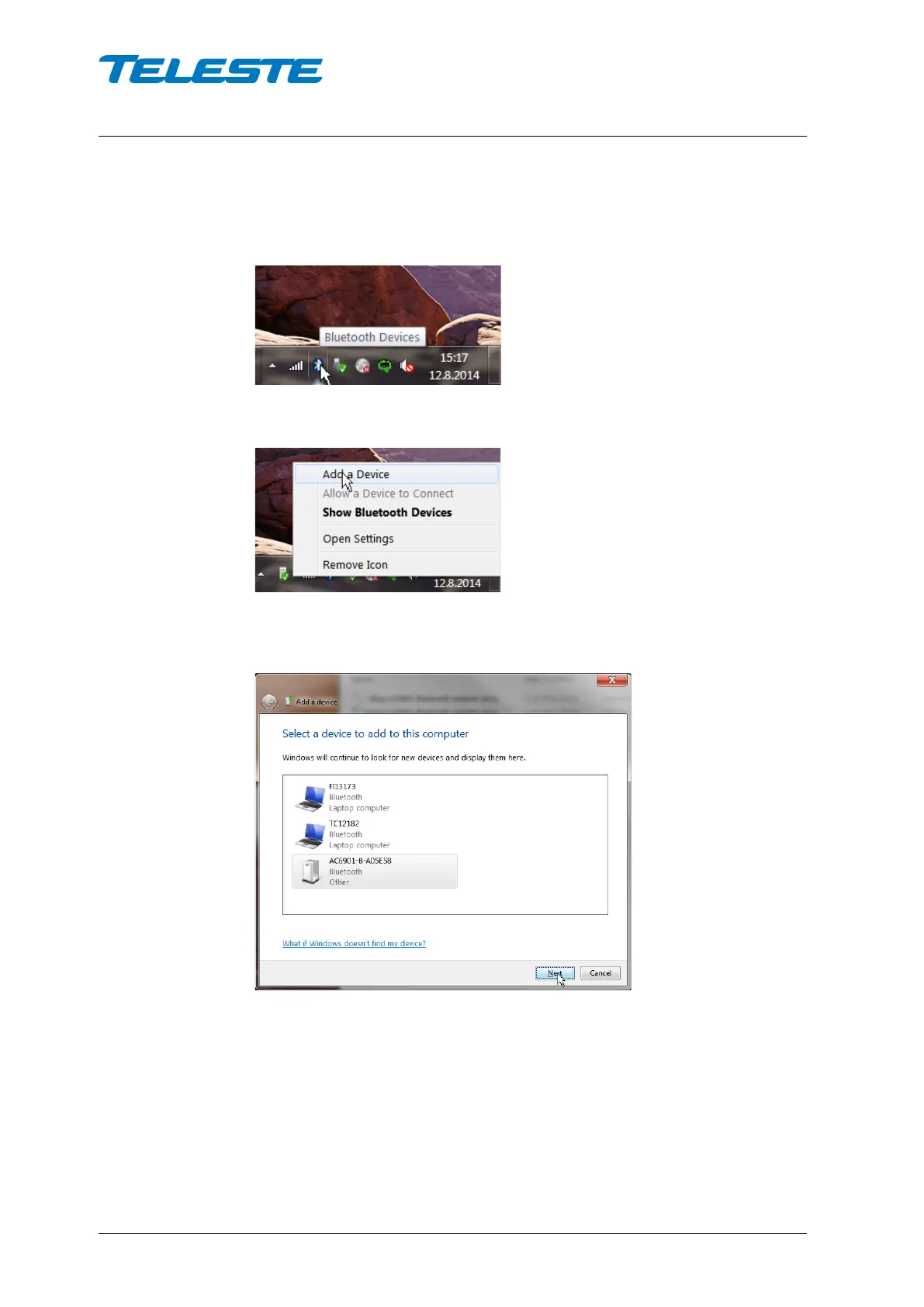
Pairing AC6901 in Windows 7
If your computer has Bluetooth adapter enabled, you should see a Bluetooth
icon the Taskbar notification area.
Click the icon with the secondary mouse button and click ‘Add a Device’.
The following ‘Add a device’ wizard appears and Windows starts looking for
Bluetooth devices immediately.
Once your device appears on the list, select it and click ‘Next’.


 To Next Page