EasyManua.ls Logo

Telex FMR-70 - SETTING SYSTEM GAIN LEVELS; WT-55 Transmitter Power On; HT-100 Microphone Power On; Gain Level Adjustment Guide

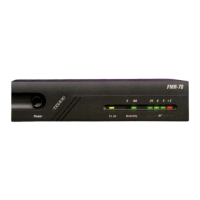
Telex FMR-70
33 pages
Print Icon
To Next Page IconTo Next Page
To Previous Page IconTo Previous Page
Loading...
WT-55
BELT
TRANSMITTER
_
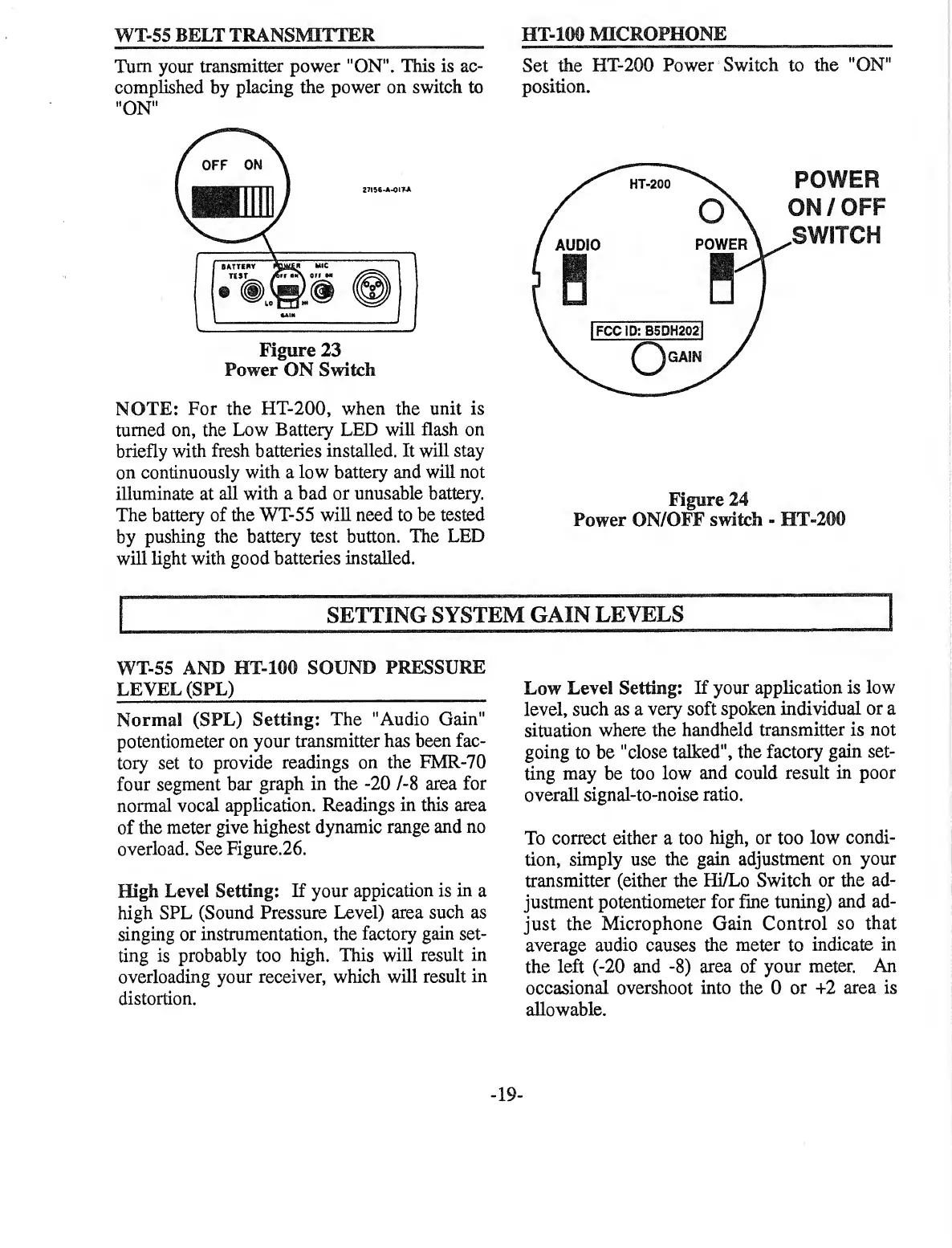
Turn
your
transmitter
power
"ON”.
This
is
ac¬
complished
by
placing
the
power
on
switch
to
"ON"
Figure
23
Power
ON
Switch
NOTE:
For
the
HT-200,
when
the
unit
is
turned
on,
the
Low
Battery
LED
will
flash
on
briefly
with
fresh
batteries
installed.
It
will
stay
on
continuously
with
a
low
battery
and
will
not
illuminate
at
all
with
a
bad
or
unusable
battery.
The
battery
of
the
WT-55
will
need
to
be
tested
by
pushing
the
battery
test
button.
The
LED
will
light
with
good
batteries
installed.
HT-ICM)
MICROPHONE
Set
the
HT-200
Power
Switch
to
the
"ON"
position.
Figure
24
Power
ON/OFF
switch
-
IIT-2CM)
SETTING
SYSTEM
GAIN
LEVELS
WT-55
AND
HT-100
SOUND
PRESSURE
LEVEL
(SPL)
_
Normal
(SPL)
Setting:
The
"Audio
Gain"
potentiometer
on
your
transmitter
has
been
fac¬
tory
set
to
provide
readings
on
the
FMR-70
four
segment
bar
graph
in
the
-20
/-8
area
for
normal
vocal
application.
Readings
in
this
area
of
the
meter
give
highest
dynamic
range
and
no
overload.
See
Figure.26.
ffigh
Level
Setting:
If
your
appication
is
in
a
high
SPL
(Sound
Pressure
Level)
area
such
as
singing
or
instrumentation,
the
factory
gain
set¬
ting
is
probably
too
high.
This
will
result
in
overloading
your
receiver,
which
will
result
in
distortion.
Low
Level
Setting:
If
your
application
is
low
level,
such
as
a
very
soft
spoken
individual
or
a
situation
where
the
handheld
transmitter
is
not
going
to
be
"close
talked",
the
factory
gain
set¬
ting
may
be
too
low
and
could
result
in
poor
overall
signal-to-noise
ratio.
To
correct
either
a
too
high,
or
too
low
condi¬
tion,
simply
use
the
gain
adjustment
on
your
transmitter
(either
the
Hi/Lo
Switch
or
the
ad¬
justment
potentiometer
for
fine
tuning)
and
ad¬
just
the
Microphone
Gain
Control
so
that
average
audio
causes
the
meter
to
indicate
in
the
left
(-20
and
-8)
area
of
your
meter.
An
occasional
overshoot
into
the
0
or
+2
area
is
allowable.

Other manuals for Telex FMR-70

Related product manuals