EasyManua.ls Logo

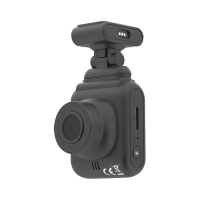
Tellur Dash Patrol DC1 - User Manual

Tellur Dash Patrol DC1
15 pages
Print Icon
To Next Page IconTo Next Page
Loading...
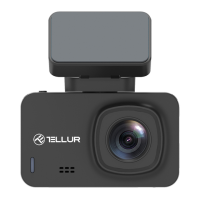
Dash Patrol DC1 &DC2
FullHD Dash Cam
User manual
TLL711001/TLL711002
This manual is available in more languages on www.tellur.com/manuals
Question and Answer IconNeed help?

Do you have a question about the Tellur Dash Patrol DC1 and is the answer not in the manual?

Summary

Safety Instructions

Product Diagram and Components

Before Use: Memory Card Setup

Camera Installation Guide

Display Status and Information

Basic Operations and Settings

Playback and General Settings

Special Features

Gravity Induction Function

Enables automatic saving of video during recording upon detecting external vibration.

Parking Monitoring Function

Automatically starts recording upon detecting vibration when the vehicle is off.

Motion Detection Function

Initiates recording when movement is detected by the camera.

USB Mode Operation

Allows connection to a PC for file access or use as a webcam.

Battery and Reset Procedures

Information on battery status, charging, and system reset functionality.

GPS and WiFi Connectivity

Setup and usage instructions for GPS tracking and WiFi connection features.

Detailed Settings Configuration

Technical Specifications

Disposal and Recycling Information

Tellur Dash Patrol DC1 Specifications

General IconGeneral
BrandTellur
ModelDash Patrol DC1
CategoryDash Cameras
LanguageEnglish

Related product manuals