ENGLISH–24
1. GETTING STARTED
Inserting a SIM card
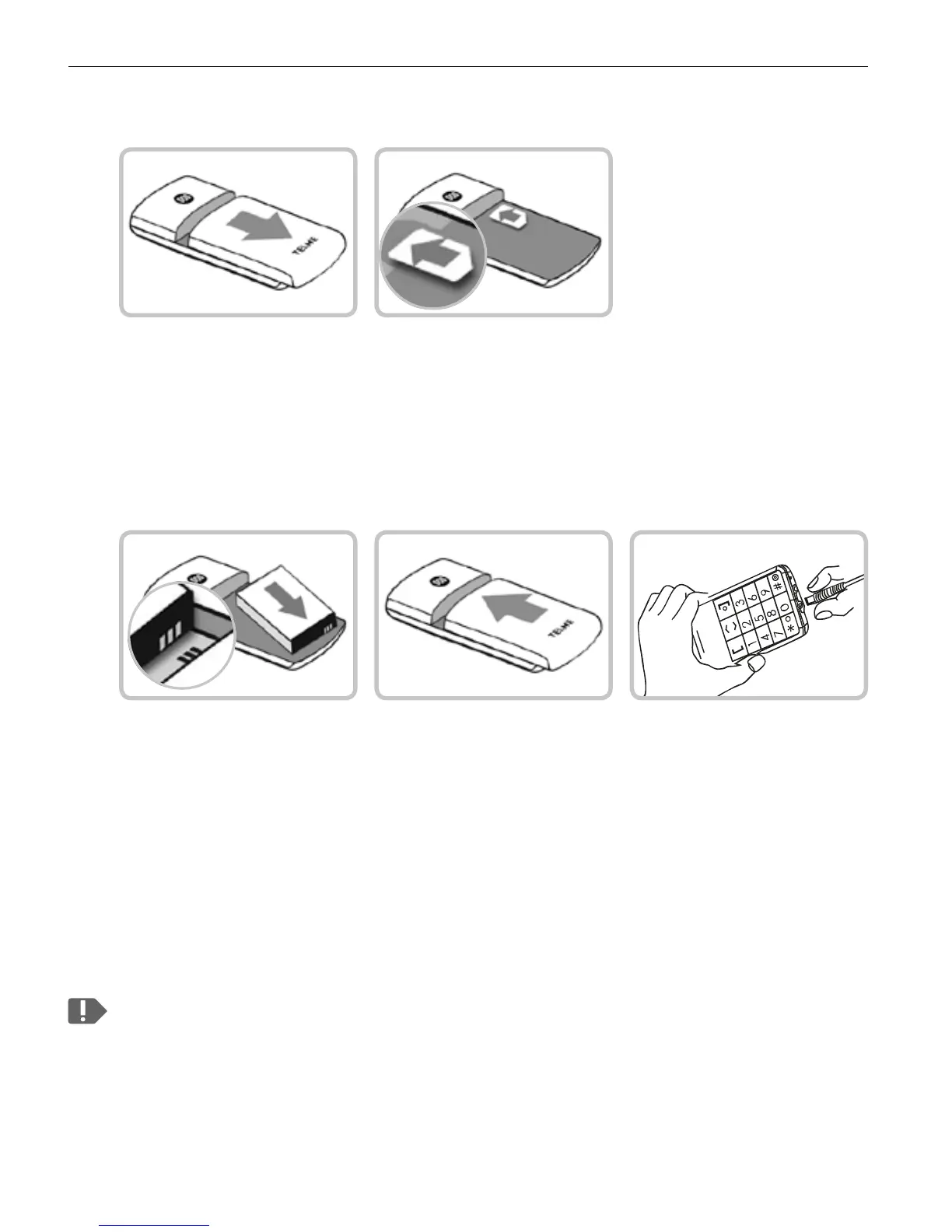
• Remove the battery cover.
• Slide the SIM card into the SIM card holder
with the gold contacts facing down.
Inserting and charging the battery
• Insert the battery, making sure that the battery contacts
touch the phone's gold contacts.
• Slide the battery cover into its position over the battery.
You will know it is in the correct position when you hear it click into
place.
• Plug the charging cable into the USB port on the bottom of the phone.
Attention: Charge the battery for at least four hours before the first time
you use it. Only use batteries and chargers that are permitted for use
with this specific model.


 To Next Page