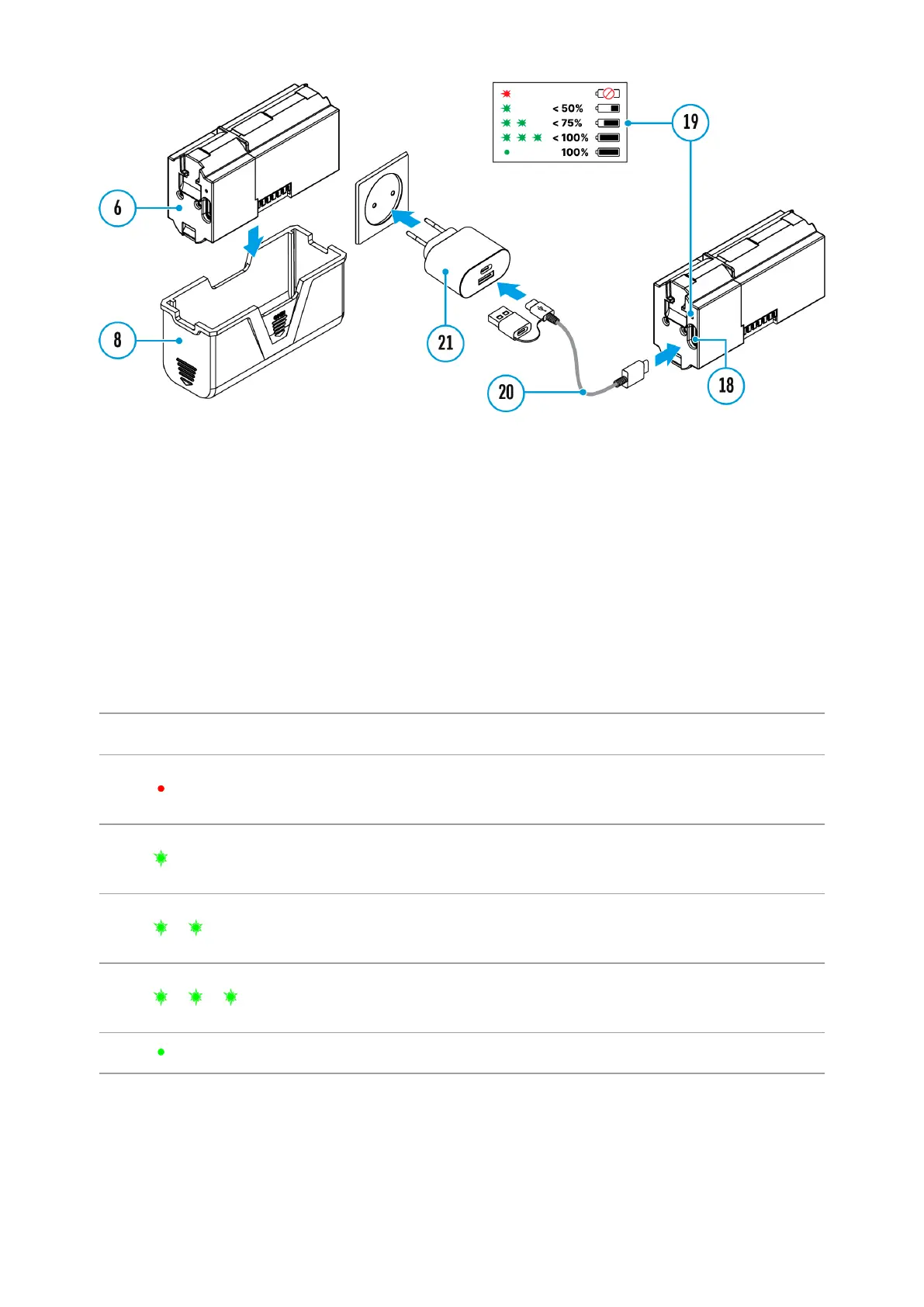
1.
Remove the protective cover(8).
2.
Connect the plug of the USB Type-C cable (20) to the USB Type-C
connector (18) of the battery.
3.
For fast charging, connect the second end of the USB Type-C cable (20)
to the Type-C connector of the power adapter (21) by removing the
Type-A adapter from the plug. When connected to a computer or a
Type-A power adapter, the battery will charge at normal speed.
4.
Plug the power adapter (21) into a 100-240 V socket.
5.
LED (19) will display battery charge level (see Table).
LED indication Battery charge status
Battery defective. Do not use
the battery!
Battery charge level is from
0% to 50%
Battery charge level is from
51% to 75%
Battery charge level is from
76% to 99%
Battery is full
Option 3.WirelessCharging


 To Next Page