1.
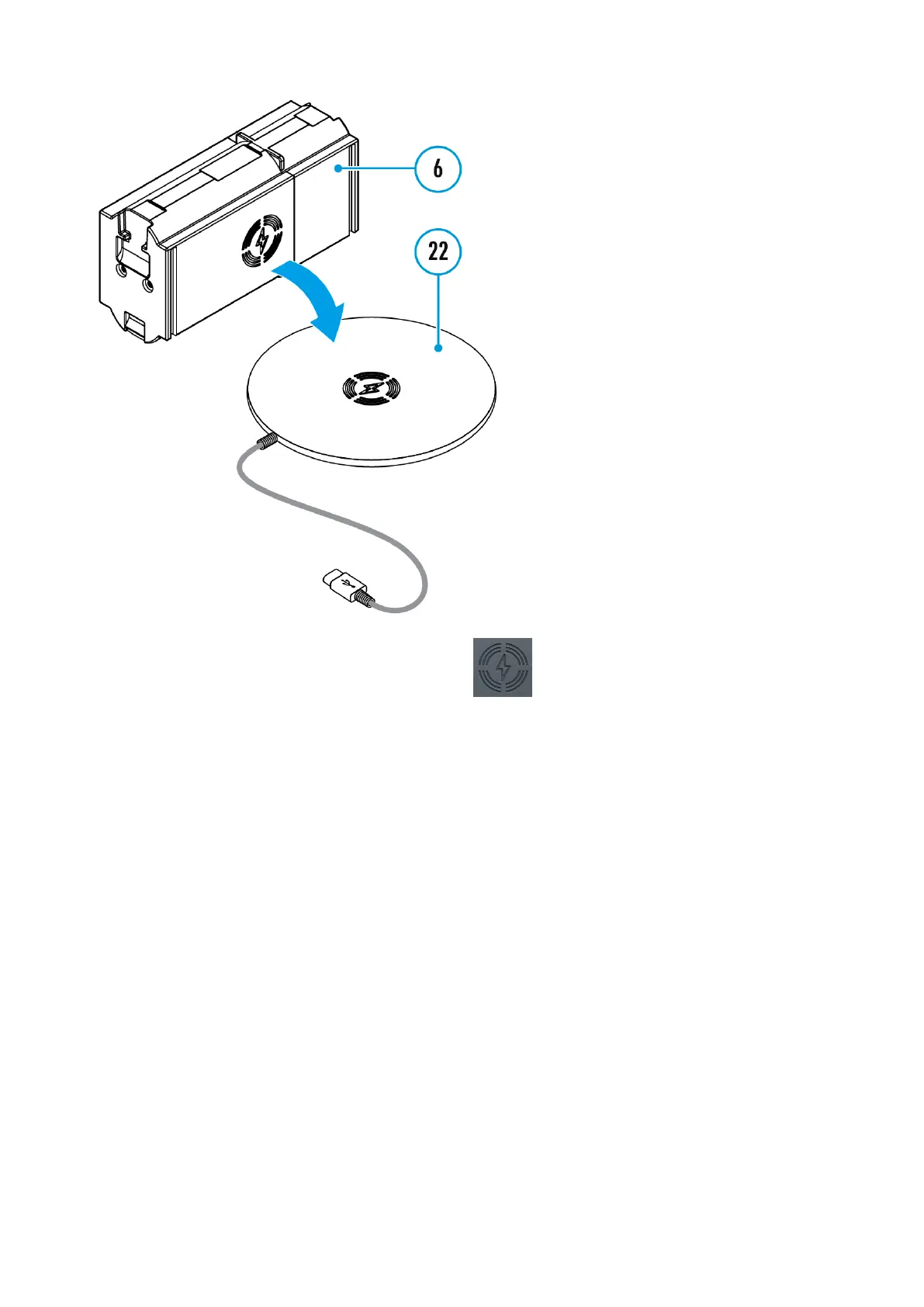
Place the battery (6) with the sign side on the wireless charger*
(22). For more efficient wireless charging, align the lightning bolt icon
on the battery with the centre of the charger platform (22).
2.
Turn on the wireless charger according to its instruction manual.
3.
LED (19) will display battery charge level (see Table).
* Third party-purchasing. The LPS7i battery works with all QI standard
wireless chargers.
Note: Charging with a USB cable is significantly faster than using a wireless
charger.


 To Next Page