TP-8/16/24/32/64S User Manual Version No.: V1.2
- 22 -
3.5 Voice gateway Network Settings
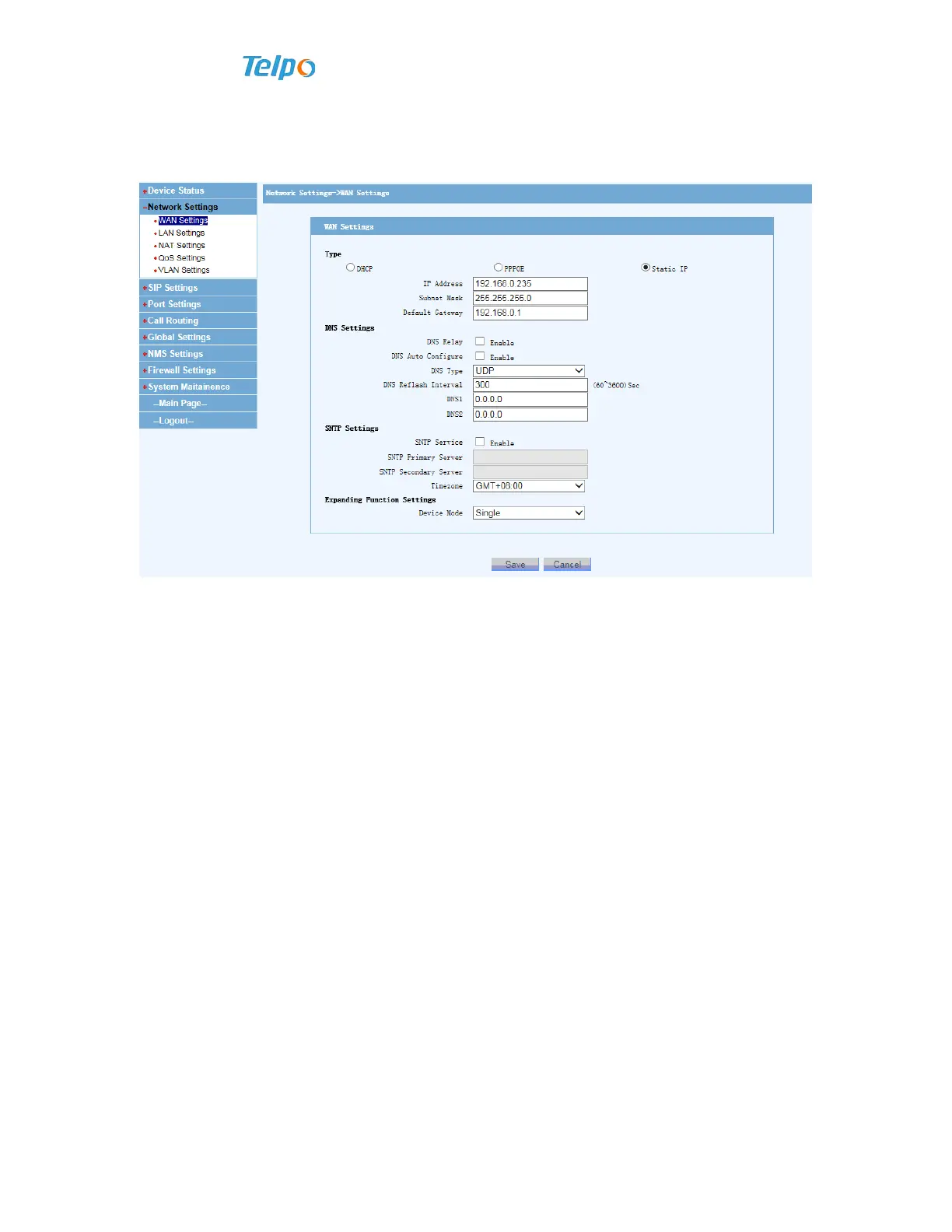
Choose “Network Settings WAN Setting” and choose “Static IP”, fill in the
relevant parameters such as gateway IP address, subnet mask, exit gateway, and then
click to save.
Explanations:
Choosing “DHCP” needs there is a DHCP server in the network;
Choosing “PPPoE” needs to fill in the username and password that broadband
supplier provide.
If choosing “Static IP”, please fill in gateway IP address, subnet mask, breakout
gateway, DNS address, SNTP address.



 To Next Page