8
2. Set up your power and the network connection
Connect via AC power:
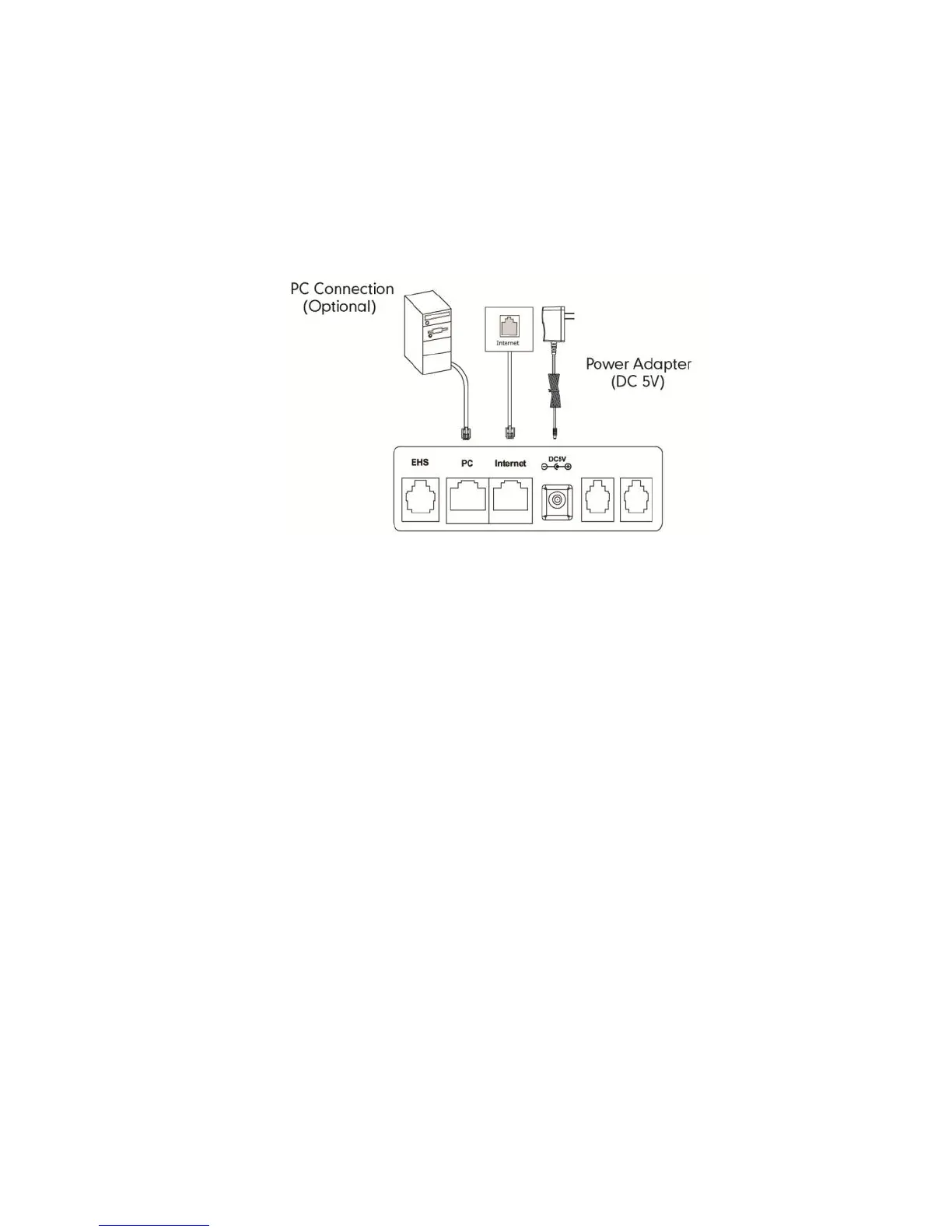
Fig 4
Connect via AC power:
Ensure the power source is turned OFF.
Plug the Power Adapter (DC5V) into the power source.
Connect the Power Adapter (DC5V) to the DC5V port on the back of
the phone (Fig 4).
Turn the power source ON.
Connect the Ethernet cable to the Internet port on the back of the
phone and an available Ethernet port on a compatible DOT router /
switch* (Fig 4).
Optional – PC Connection:
Connect one end of the second Ethernet cable to the LAN port
on the user’s PC and the other end to the PC port on the phone.
(Fig 4).
* DOT-powered switches are available for purchase, if there are insufficient
Ethernet ports on your DOT router to connect all your devices.



 To Next Page