

EasyManua.ls Logo

Telstra WI-FI 4GX ADVANCED III - User Manual

Telstra WI-FI 4GX ADVANCED III
22 pages
Print Icon
To Next Page IconTo Next Page
Loading...
GETTING TO
KNOW YOUR
TELSTRA WIFI
4GX ADVANCED III
telstra.com/mbb
13 2200
visit a telstra store or partner
Question and Answer IconNeed help?

Do you have a question about the Telstra WI-FI 4GX ADVANCED III and is the answer not in the manual?

Summary

SAFETY FIRST

Declaration of Conformity - SAR

Device usage guidelines regarding body proximity and SAR compliance.

GETTING CONNECTED

Insert SIM Card and Battery

Step-by-step guide to inserting the SIM card and battery.

Switch on Device

Instructions for powering on the Telstra Wi-Fi 4GX Advanced III.

MONITORING DATA USAGE

On-device Data Usage Meter

Describes the on-screen meter showing estimated data used and days remaining.

Device Home Page Usage Meter

Explains the status bar meter on the Wi-Fi home page for data usage.

PROBLEM SOLVING

Connectivity Issues

Troubleshooting steps for issues accessing the internet.
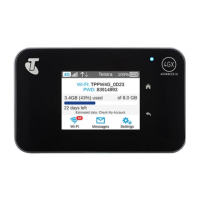
Telstra WI-FI 4GX ADVANCED III Specifications

General IconGeneral
BrandTelstra
ModelWI-FI 4GX ADVANCED III
CategoryHandhelds
LanguageEnglish