Need help?
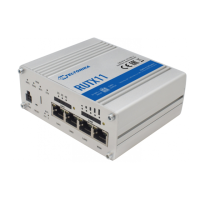
Do you have a question about the Teltonika RUTX10 and is the answer not in the manual?
Access the router's Web interface by typing http://192.168.1.1 in a web browser. Use default credentials.
Upon first login, you must change the password to meet security requirements (min. 8 chars, upper/lower case, digit).
Configure the router's time zone and optionally synchronize its time with the browser.
Review or adjust default LAN settings, including IP address and DHCP range.
Connect the power adapter to turn on the device and configure it via its IP address in a web browser.
Details the compliance of the RUTX10 radio equipment with EU directives, with a link to the full text.
 General
| DSL WAN | No |
|---|---|
| Ethernet WAN | Yes |
| WAN connection type | RJ-45 |
| Wi-Fi band | Dual-band (2.4 GHz / 5 GHz) |
| Wi-Fi standards | 802.11a, 802.11b, 802.11g, Wi-Fi 4 (802.11n), Wi-Fi 5 (802.11ac) |
| Top Wi-Fi standard | Wi-Fi 5 (802.11ac) |
| WLAN data transfer rate (max) | 867 Mbit/s |
| Cabling technology | 10/100/1000Base-T(X) |
| Networking standards | IEEE 802.11a, IEEE 802.11ac, IEEE 802.11b, IEEE 802.11e, IEEE 802.11g, IEEE 802.11n, IEEE 802.11r, IEEE 802.3, IEEE 802.3az, IEEE 802.3u |
| Ethernet LAN data rates | 10, 100, 1000 Mbit/s |
| Ethernet LAN interface type | Gigabit Ethernet |
| Memory card slot(s) | - |
| USB 2.0 ports quantity | 1 |
| Ethernet LAN (RJ-45) ports | 3 |
| Security algorithms | 64-bit WEP, 128-bit WEP, 192-bit AES, 256-bit AES, AES-CCMP, DES, SNMP, SNMPv2, SNMPv3, SSH, SSL/TLS, TKIP, WPA, WPA-PSK, WPA2-Enterprise, WPA2-PSK |
| Authentication method | X.509 |
| Routing protocols | BGP, EIGRP, OSPF, RIP, RIP-1, RIP-2 |
| Supported network protocols | TCP, UDP, IPv4, IPv6, ICMP, NTP, DNS, HTTP, HTTPS, FTP, SMTP, SSL v3, TLS, ARP, VRRP, PPP, PPPoE, UPNP, SSH, DHCP, Telnet client, SNMP, MQTT, WOL |
| Product type | Tabletop router |
| Product color | White |
| Internal memory | 256 MB |
| Processor cores | 4 |
| Processor frequency | 717 MHz |
| Processor architecture | ARM Cortex A7 |
| Power source type | DC |
| Power consumption (typical) | 11 W |
| Operating temperature (T-T) | -40 - 75 °C |
| Operating relative humidity (H-H) | 10 - 90 % |
 Weight and Dimensions
| Depth | 32 mm |
|---|---|
| Width | 115 mm |
| Height | 95 mm |
| Weight | 355 g |


 To Next Page