
 Need help?
Do you have a question about the Teltonika RUTX11 and is the answer not in the manual?
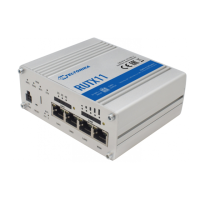
Identifies key ports, LEDs, and controls on the front of the RUTX11 router.
Details the various antenna connectors, USB port, and grounding terminal on the back.
Details the wiring color code for the power socket input and output connections.
Step-by-step instructions for inserting the SIM card and attaching all antennas.
Instructions for connecting the power adapter and establishing the first device connection.
Guide on accessing the router's WebUI, initial login, password change, and configuration wizard.
Details RF technologies, max RF power, and specifications of bundled accessories.
Statement of compliance with essential requirements of the CE/RED directive in English.
 General
| DSL WAN | - |
|---|---|
| Ethernet WAN | Yes |
| WAN connection type | RJ-45 |
| Supported network protocols | TCP, UDP, IPv4, IPv6, ICMP, NTP, DHCP, DNS, HTTP, HTTPS, SMTP, SSL v3, TLS, ARP, PPPoE, UPNP, SSH, Telnet |
| Wi-Fi band | Dual-band (2.4 GHz / 5 GHz) |
| Top Wi-Fi standard | Wi-Fi 5 (802.11ac) |
| WLAN data transfer rate (max) | 867 Mbit/s |
| Product color | Gray |
| LED indicators | Power, Status, WLAN |
| Ethernet LAN data rates | 10, 100, 1000 Mbit/s |
| Ethernet LAN interface type | Gigabit Ethernet |
| Certification | CE, EAC |
| Internal memory | 256 MB |
| Processor cores | 4 |
| Processor frequency | 717 MHz |
| Processor architecture | ARM Cortex A7 |
| Power source type | DC |
| 4G standard | LTE |
| 3G standards | DC-HSDPA, WCDMA |
| Operating temperature (T-T) | -40 - 75 °C |
| USB 2.0 ports quantity | 1 |
| Security algorithms | SSH, SSL/TLS |
 Weight and Dimensions
| Depth | 95 mm |
|---|---|
| Width | 115 mm |
| Height | 44 mm |
| Weight | 456 g |

 To Next Page

