6
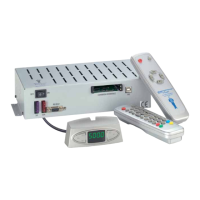
Stand-by Mode “low current”:
This is no error. Please restart the system by pressing both buttons of
the SAT Mouse.
The receiver is in failure mode:
Switch the receiver off by the main circuit breaker. Restart after 10
seconds. (Hardware reset).
Other power supply problems:
The voltage breaks down or malfunctions from the power supply.
(Perhaps charge controller or others.) Always connect the system
directly to the battery, never via charge controller or charge device).
A software update couldn’t be performed without faults:
Repeat the software update. Ask customer service for correct data.
Check the wiring.
A Hardware fault occurred:
The receiver indicated a hardware fault or hardware confi guration and
has to be inspected by customer service.


 To Next Page
 Loading...