www.element14.com
www.farnell.com
www.newark.com
www.cpc.co.uk
www.mcmelectronics.com
Page <2>
V1.101/06/12
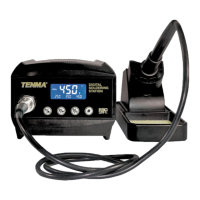
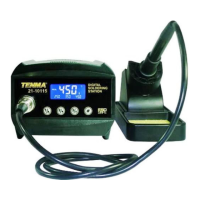
Soldering Station
User’s Manual
Thank you for purchasing the TENMA Soldering station. Please read this manual before operating the equipment.
Keep manual in accessible place for future reference.
■ Warning:
Temperature of iron tip will be up to 200°C to 400°C after connecting power, so it may lead to injury of re because of
improper usage. Please abide the following terms:
• Don’t touch the iron tip or surrounding metals
• Never operate it near the ammable gas or substance.
• Disconnect from power source if the unit will not be used for long periods. Switch off power during short breaks
• Replace accessories or iron tip after turning off the station and let it cool down
• Never operate this device, if you don’t have soldering experience or enough knowledge to use
• Keep away from children
■ Safety Precautions:
Caution: Improper usage can cause serious injury to personnel and/or damage to equipment. For personnel safety,
please follow this precautions
• Never use it to do other work except soldering
• Do not subject the main unit to physical shock. Never drop or sharply jolt the unit
• Don’t change the device at will
• Replace loss items with original accessories of TENMA
• Don’t put it in water or operate with wet hands
• Don’t pull the cable but hold tightly the plug when you take it out of plug
• Please keep the operate place well ventilated since soldering process produce smoke
• Don’t play with other people or would be easy to hurt others or yourself
■ What’s Included
Device 1 PC
Soldering Iron 1 Set
Iron Holder 1 PC
Power Cord 1 PC
Manual 1 Copy
Clean Sponge 1 PC


 To Next Page