TENNEY ENVIRONMENTAL
LinkTenn
SOFTWARE
(Optional)
-
)
Welcome to another unique optional feature developed by Tenney Environmental.
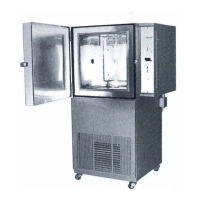
LinkTenn software is designed to operate on a remote computer system and provide complete
control of Tenney Environmental test chambers. This is accomplished by communicating
through a
RS232lRS422 interface with the VersaTenn Ill or Watlow 942, 945, and 988
Controllers. Up to ten chambers may be controlled from one computer with
RS422 interface.
LinkTenn software is provided both in a DOS format and in a Windows format on
3%
inch
diskettes. In the DOS format, "LinkTenn
II"
software is designed to work with the VersaTenn
Ill
Controller, and "LinkTenn 942" software is designed to work with the Watlow 942 Controller. In
the Windows format. "LinkTenn For Windows" software is designed to work with the
VersaTenn
Ill
and the Watlow 942, 945, and 988 Controllers.
The hardware and software requirements to run LinkTenn software in both formats are listed
below.
DOS
Format: LinkTenn
II
&
LinkTenn
942
1.
Any DOS based computer
2.
256K
of
RAM
memory
3.
CGA graphics card
4.
DOS
2.0 or higher
5.
RS232 computer interface for single chamber control
6.
RS422 computer interface for multiple chamber control
7.
With IEEE-488 communications, a National Instruments PC2A or compatible card
1
Windows Format: LinkTenn For Windows
1.
Computer with 486 processor or higher
2. Eight Meg of hard drive memory
3.
Eight Meg of
RAM
memory
4. Windows
3.X
operating system or higher
5.
RS232 computer interface for single chamber control
6.
RS422 computer interface for multiple chamber control
7.
Currently not available to work with IEEE-488 communications
A sample menu display screen entitled "Program Control" from the LinkTenn For Windows
program,
is
provided in the Supplemental Instructions Section. This screen shows some of the
unique features incorporated into the program along with sample setpoints.
When LinkTenn software is provided in either format, a corresponding LinkTenn User's Manual
will be provided in the Supplemental Instructions Section.


 To Next Page
 Loading...