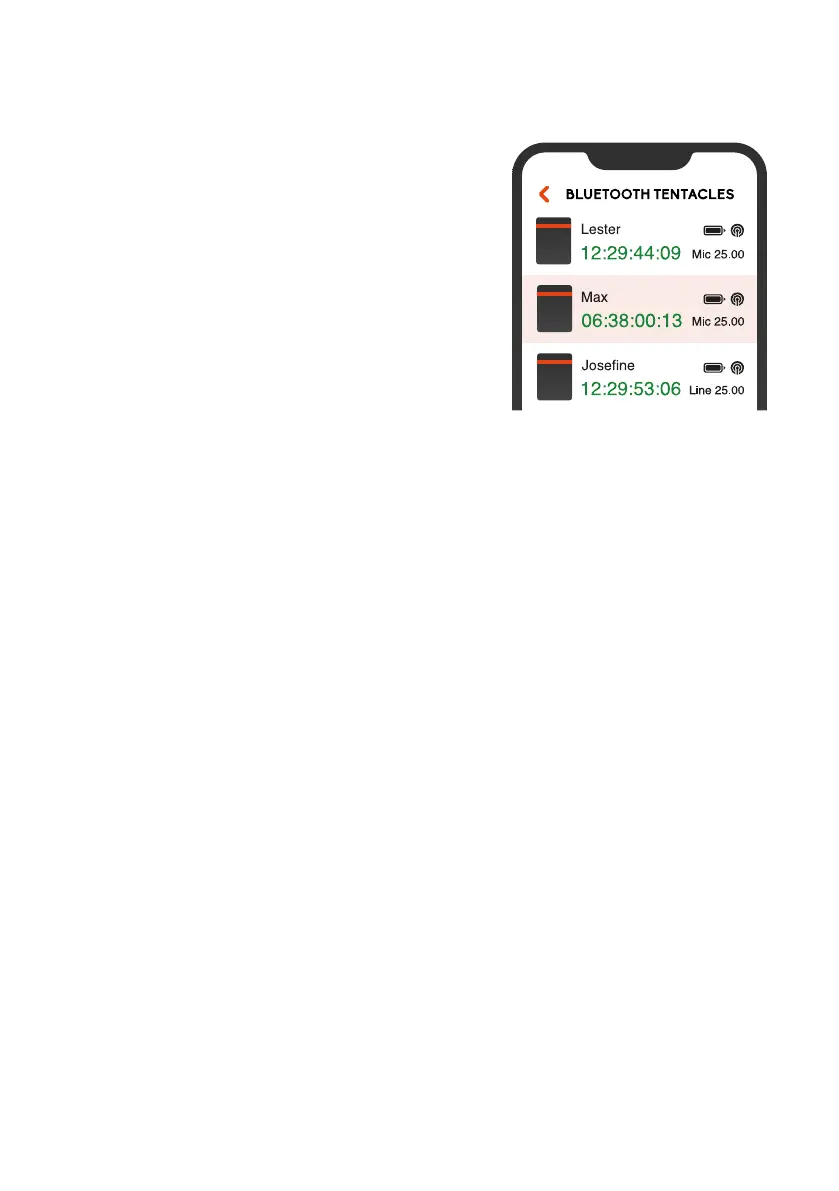
MONITORING LIST
Once your devices have been added
to the list, you can check the most
important status information of each
unit at a glance. You will be able to
monitor the timecode with frame
accuracy, battery status, output level,
frame rate, Bluetooth range, name and
icon in this view.
If a Tentacle is out of Bluetooth range for a less than a minute,
the status and timecode of it will be maintained. If the app hasn’t
received any updates for more than 1 minute, the message will
be Last seen x minutes ago.
Depending on the physical distance of a Tentacle to your mobile
device, the unit information in the list will be highlighted. The
closer the Sync E gets to your mobile device the more saturated
the color will be.
Remove a Tentacle from the monitoring list
You can remove a Tentacle from the monitoring list by swiping
to the left (iOS) or long-pressing (more than 2 sec.) on the
Tentacle status information (Android).
10


 To Next Page