2-10
Revision A
November 25, 1996
2.7 FINAL INSPECTION
1. Insure that all wiring is properly routed and secure. Dress harnessing neatly and
secure in place with cable ties.
NOTE:
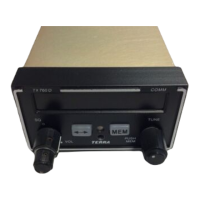
It is recommended that the TX 760D be installed and locked into the
mounting sleeve before tying and securing the wiring harness. This will
ensure proper alignment of the “floating” connectors to facilitate removal
and replacement of the TX 760D.
Check connector integrity and locking devices. Insure locking devices are
functioning properly and are secured. Verify cabling is not “clotheslined”
and provisions have been made for service loops. Pull yoke to its maximum
travel. While slowly returning yoke to its normal position, rotate yoke left
and right to insure all cabling is routed and tied up properly. Cycle rudder
pedals and verify that they are free and cables are unobstructed. Install gust
locks, perform complete check-out of all avionics including dimmers. Secure
aircraft power and all master switches.
2. Have installation inspected by someone authorized under Federal Aviation
Regulation Part 65.
3. Add the Terra by Trimble TX 760D to the aircraft equipment list, including serial
number. Complete FAA Form 337 if required, and make required airframe logbook
entries. A weight and balance change may be required, depending on the type of
aircraft.
4. Complete FCC License Applications as required and file them. The Type
Acceptance Number for the application is CCXTX760D.
5. Complete warranty card and return to Trimble.


 To Next Page