EasyManua.ls Logo

Terraillon HOMNI - User Manual

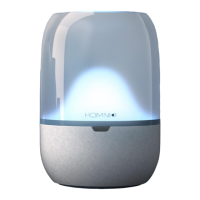
Terraillon HOMNI
26 pages
Print Icon
To Next Page IconTo Next Page
Loading...
USER MANUAL
V1.7 FEBRUARY 2019
www.terraillon.com

Other manuals for Terraillon HOMNI

Question and Answer IconNeed help?

Do you have a question about the Terraillon HOMNI and is the answer not in the manual?

Summary

Safety and Precautions

General Safety Warnings

Important warnings for safe product use and to prevent damage or injury.

Care and Maintenance Guidelines

Instructions for proper cleaning and maintenance to avoid damage.

Product Overview and Display

Homni Component Identification

Identifies key components of the Homni device like LED light, display, and ports.

LCD Display and Pairing Status

Explains the meaning of icons and indicators on the Homni LCD screen.

Setting Up Your Homni

Mobile App Installation and Account Creation

Steps to download the Wellness Coach app and create a user account.

Homni Device Installation and Pairing

Guide to connecting and pairing the Homni device with your smartphone.

Configuring Fall Asleep and Wake Up Programs

Setting up personalized sleep and wake-up routines with light and sound.

Bedroom Environment Monitoring Setup

Configuring the period for monitoring bedroom environmental conditions.

Homni Display Settings

Customizing information and the night display feature on the Homni screen.

Setting Up the Sleep Sensor Dot

Installing and Pairing the Sleep Sensor Dot

Instructions for inserting the battery and pairing the sleep sensor dot.

Configuring Dot Monitoring Period and Placement

Setting the monitoring time for the Dot and how to position it on the pillow.

Daily Use of Homni

Operating Sleep Modes and Alarms

How to activate, deactivate sleep modes and alarms using the Homni device.

Controlling Homni Light

Steps to turn the LED light on/off and adjust brightness.

Interacting with Homni When Night Display is Off

How to view time and control the light when the night display is disabled.

Snoozing or Deactivating Morning Alarms

Methods to postpone or dismiss the alarm using the movement sensor.

Using the Wellness Coach App

Navigating the App Home Screen

Understanding the main interface for managing Homni and sleep data.

Accessing the App Side Menu

Exploring options like profile editing, contact, and FAQ via the side menu.

Downloading and Viewing Sleep Data

Process to download sleep data and view it on the home screen.

Accessing Device Settings

How to find and modify settings for Homni and the Sleep Sensor Dot.

Understanding Your Sleep Dashboard

Interpreting sleep scores, cycles, and environmental data in the dashboard.

Managing Next Alarm Settings

Configuring and setting up the next alarm for wake-up.

Customizing Mood Lighting

Selecting colors, brightness, and effects for the Homni mood light.

Streaming Music via Bluetooth

Connecting Homni to your smartphone to play music.

User Management

Managing User Accounts

Adding, disconnecting, or switching between user profiles in the app.

Editing User Profile Information

Modifying personal details and settings for a connected user profile.

Product Information and Compliance

Technical Specifications

Details on operating voltage, temperature, power, dimensions, and compatibility.

Environmental Protection and Disposal

Guidance on responsible disposal of the product after its lifespan.

Declaration of Conformity

Statement confirming compliance with EU health, safety, and environmental directives.

Product Warranty Information

Details on the 2-year warranty coverage and claim procedures.

FCC Regulatory Statements

Information on FCC compliance, RF exposure, and interference guidelines.

Summary

Safety and Precautions

General Safety Warnings

Important warnings for safe product use and to prevent damage or injury.

Care and Maintenance Guidelines

Instructions for proper cleaning and maintenance to avoid damage.

Product Overview and Display

Homni Component Identification

Identifies key components of the Homni device like LED light, display, and ports.

LCD Display and Pairing Status

Explains the meaning of icons and indicators on the Homni LCD screen.

Setting Up Your Homni

Mobile App Installation and Account Creation

Steps to download the Wellness Coach app and create a user account.

Homni Device Installation and Pairing

Guide to connecting and pairing the Homni device with your smartphone.

Configuring Fall Asleep and Wake Up Programs

Setting up personalized sleep and wake-up routines with light and sound.

Bedroom Environment Monitoring Setup

Configuring the period for monitoring bedroom environmental conditions.

Homni Display Settings

Customizing information and the night display feature on the Homni screen.

Setting Up the Sleep Sensor Dot

Installing and Pairing the Sleep Sensor Dot

Instructions for inserting the battery and pairing the sleep sensor dot.

Configuring Dot Monitoring Period and Placement

Setting the monitoring time for the Dot and how to position it on the pillow.

Daily Use of Homni

Operating Sleep Modes and Alarms

How to activate, deactivate sleep modes and alarms using the Homni device.

Controlling Homni Light

Steps to turn the LED light on/off and adjust brightness.

Interacting with Homni When Night Display is Off

How to view time and control the light when the night display is disabled.

Snoozing or Deactivating Morning Alarms

Methods to postpone or dismiss the alarm using the movement sensor.

Using the Wellness Coach App

Navigating the App Home Screen

Understanding the main interface for managing Homni and sleep data.

Accessing the App Side Menu

Exploring options like profile editing, contact, and FAQ via the side menu.

Downloading and Viewing Sleep Data

Process to download sleep data and view it on the home screen.

Accessing Device Settings

How to find and modify settings for Homni and the Sleep Sensor Dot.

Understanding Your Sleep Dashboard

Interpreting sleep scores, cycles, and environmental data in the dashboard.

Managing Next Alarm Settings

Configuring and setting up the next alarm for wake-up.

Customizing Mood Lighting

Selecting colors, brightness, and effects for the Homni mood light.

Streaming Music via Bluetooth

Connecting Homni to your smartphone to play music.

User Management

Managing User Accounts

Adding, disconnecting, or switching between user profiles in the app.

Editing User Profile Information

Modifying personal details and settings for a connected user profile.

Product Information and Compliance

Technical Specifications

Details on operating voltage, temperature, power, dimensions, and compatibility.

Environmental Protection and Disposal

Guidance on responsible disposal of the product after its lifespan.

Declaration of Conformity

Statement confirming compliance with EU health, safety, and environmental directives.

Product Warranty Information

Details on the 2-year warranty coverage and claim procedures.

FCC Regulatory Statements

Information on FCC compliance, RF exposure, and interference guidelines.

Terraillon HOMNI Specifications

General IconGeneral
BrandTerraillon
ModelHOMNI
CategoryAccessories
LanguageEnglish