
EasyManua.ls Logo

Terraillon TRIO CARE - User Manual

Terraillon TRIO CARE
208 pages
Go to English
Print Icon
To Next Page IconTo Next Page
Loading...
MANUEL D’UTILISATION – INSTRUCTION MANUAL

Questions and Answers

  • A
    Ariel BarrAug 2, 2025
    How to fix Terraillon Fitness Equipment that won't turn on?
    • M
      Michelle AbbottAug 2, 2025
      If your Terraillon Fitness Equipment doesn't power on, the batteries may be exhausted, so replace them. Also, check if the batteries are installed correctly, and if not, insert them observing the correct polarity.
  • R
    Richard YoungAug 7, 2025
    What to do if the output current stops during Terraillon TRIO CARE therapy?
    • M
      Mariah TaylorAug 7, 2025
      If the output current stops during therapy with your Terraillon Fitness Equipment, it might be due to several reasons. First, check if the electrodes have come off the skin; if so, turn off the device and place them back on, or replace them with new ones. Another reason could be a disconnected lead wire; in that case, turn off the device and reconnect the lead wire. Finally, the batteries’ power may be exhausted, so replace them with new batteries.
  • B
    Brandon HuntAug 12, 2025
    Why is the stimulation on my Terraillon TRIO CARE Fitness Equipment uncomfortable?
    • P
      Paul PetersAug 12, 2025
      Uncomfortable stimulation from your Terraillon Fitness Equipment can be due to several factors. The intensity might be too high, so decrease it. Also, check if the electrodes are too close together; reposition them to be at least 2 inches apart. The electrode active area size might be too small, so replace the electrodes with ones that have a diameter no less than 2 inches. Ensure that the device is being operated according to the manual.
  • E
    erika41Aug 17, 2025
    What to do if Terraillon TRIO CARE Fitness Equipment causes skin redness or stabbing pain?
    • D
      david12Aug 17, 2025
      If you experience skin redness or a stabbing pain while using your Terraillon Fitness Equipment, it could be due to several reasons. You might be using electrodes on the same site every time, so reposition the electrodes and stop use immediately if you feel pain or discomfort. Ensure the electrodes are securely adhered to the skin. Clean the electrodes or replace them with new ones if they are dirty or scratched.
  • L
    lopezhannahAug 22, 2025
    How to fix weak stimulation on Terraillon TRIO CARE Fitness Equipment?
    • M
      michaelknappAug 22, 2025
      If you are experiencing weak stimulation or cannot feel any stimulation from your Terraillon Fitness Equipment, it could be because the electrodes are dried out or dirty, so replace them with new ones. Also, if the electrodes do not stick to the skin well, replace them. A worn or damaged lead wire can also cause this issue, so replace it with a new one.
  • D
    dknappAug 27, 2025
    What causes intermittent output in Terraillon Fitness Equipment?
    • J
      Jeremy HayesAug 28, 2025
      Intermittent output in your Terraillon Fitness Equipment could be due to a few reasons. Verify the lead wire connection is secure and insert it firmly. Turn down the intensity and rotate the lead wire in the socket 90 degrees; if it's still intermittent, replace the lead wire. Reposition the electrode.

Summary

Safety Precautions and Warnings

Contraindications

Consult your physician before use due to potential lethal rhythm disturbances.

Conditions for Not Using the Device

Do not use with pacemakers, implanted defibrillators, or other electronic devices.

Warnings on Usage Areas

Avoid open wounds, rashes, infections, or areas lacking normal sensation.

Individuals to Avoid Using the Device

Not for pregnant women or persons incapable of expressing thoughts.

Activities to Avoid During Use

Do not use while bathing, showering, sleeping, or operating machinery.

Pain Management Advice

Consult physician if pain persists, worsens, or for advice on prior treatments.

Electrode Pad Handling

Apply pads to clean, dry, healthy skin; avoid irritation and specific body areas.

Improper Pad Application

Do not let pads touch each other, place on spine, or near metal objects.

Cautions During Operation

Stop use if discomfort occurs. Do not use for other purposes or mix batteries.

General Safety Guidelines

Long-term effects are unknown. Apply to intact skin; TENS is not a cure.

Possible Adverse Reactions

May cause skin irritation, burns, headache, or painful sensations near eyes/head.

Usage Restrictions

Avoid eyes, mouth, neck, head, chest, cancerous lesions, and flammable gases.

Understanding the Technology

How TENS Works

TENS uses electrical impulses to block pain signals or stimulate endorphins.

How EMS Works

EMS stimulates nerves to cause muscle contractions for passive exercise.

How Massage Works

Massage program aids recovery from fatigue and muscle strength after exercise.

Device Components and Setup

Package Contents

Lists the unit, batteries, lead wires, electrode pads, and storage bag.

Device Features Overview

Dual channel stimulator with 14 programs and 25 intensity levels.

Front and Rear Panel Description

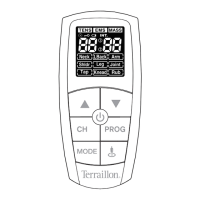
Identifies buttons like Power, CH, MODE, PROG, and LCD display.

LCD Display Details

Explains icons for mode, intensity, battery, treatment time, and part selection.

Inserting Batteries Correctly

Instructions for inserting two AAA batteries, observing polarity.

Operating the Device

Connecting Electrodes and Cables

Steps for connecting pads to lead wires and plugging into the device.

Pad Placement for Neck, Shoulder, Hand

Illustrates pad placement for Neck, Shoulder, Carpal Tunnel/Hand pain areas.

Pad Placement for Back, Elbow, Arm

Illustrates pad placement for Lower Back, Elbow, and Upper Arm pain areas.

Pad Placement for Joints and Legs

Illustrates pad placement for Knee/Joint, Calf, and Ankle/Foot pain areas.

Selecting Treatment Programs

Guide on choosing TENS, EMS, MASS modes, body areas, and program levels.

Starting Treatment and Adjusting Intensity

How to start therapy and control output intensity levels up to 25.

Device Turn Off and Storage

Steps for turning off the device and storing the unit and accessories properly.

Key Device Functions

Explains the Safety Lock Feature and Low Battery Indicator for user convenience.

Usage Guidance for Pain Relief

Optimal Timing for Device Use

Use device as soon as pain begins to prevent worsening or chronicity.

Intensity Setting Recommendations

Set intensity based on comfort level; start low and short duration.

Recommended Session Duration

Start with 30-minute sessions, max 3 times/day, 90 mins total.

When to Cease Therapy

Stop if adverse reactions occur or pain does not improve after five days.

Suitability for Different Pain Types

TENS is best for acute, localized pain; it provides temporary relief, not cure.

Maintenance and Troubleshooting

Cleaning the Unit and Accessories

Instructions for cleaning the device with a soft cloth and electrode pads with water.

Electrode Usage Best Practices

Rules for electrode application, replacement, and ensuring CE mark compliance.

Troubleshooting Common Problems

Solutions for unit not powering on, weak stimulation, or discomfort.

Troubleshooting Output Issues

Addresses intermittent output, ineffective stimulation, and output stopping during therapy.

Glossary of Symbols

Explanation of various symbols used throughout the manual for clarity.

Technical Information and Compliance

Product Specifications

Lists power, frequency, output levels, operating conditions, size, and weight.

Environmental Protection and Disposal

Guidelines for recycling batteries and disposing of the product responsibly.

Warranty Information

Details warranty coverage against defects and conditions for claims.

Electromagnetic Compatibility (EMC)

Information on the device's interaction with other electronic devices.

Electromagnetic Emissions Guidance

Details RF emissions and compliance with EMC standards for safe use.

Electromagnetic Immunity Guidance

Details immunity to electrostatic discharge, surges, and power frequency fields.

RF Separation Distances

Recommended distances from portable/mobile RF equipment to ensure safe operation.

Terraillon TRIO CARE Specifications

General IconGeneral
BrandTerraillon
ModelTRIO CARE
CategoryFitness Equipment
LanguageEnglish