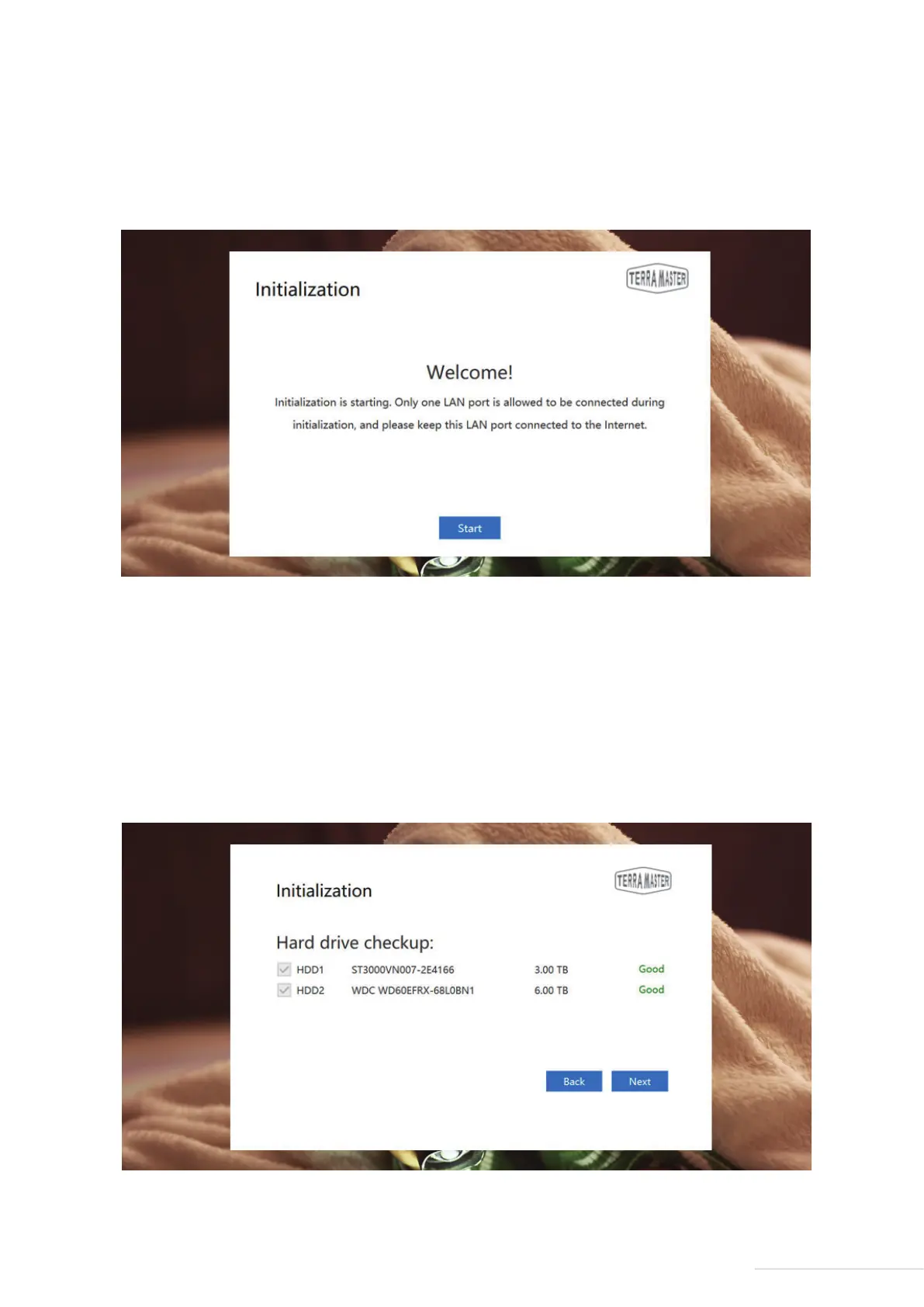
Step 2: Start Initialisation
Select your TNAS from the search list and click “Login”. If your TNAS is not initialised, you will be redirected
to the initialisation page. Please Click “Start” to initiate the initialisation process.
8
Model:U4-211
Step 3: Hard Drive Detection
If the installed hard drive is detected by TNAS, bootstrap initialisation will automatically proceed to the next
step. If the hard drive is not installed, please install the hard drive and click “Recheck”. Since TNAS
supports hard drive hot swap, the hard drive can be directly installed without having to turn the power off.
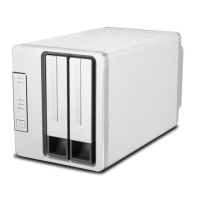
Step 4: Hard Drive Check-Up
Your TNAS will assess the health status of the hard drive. If the health status is good, please click “Next”. If
the test results indicate a risk, we recommend that you replace the abnormal hard drive.


 To Next Page