Step 1: Search for TNAS Devices
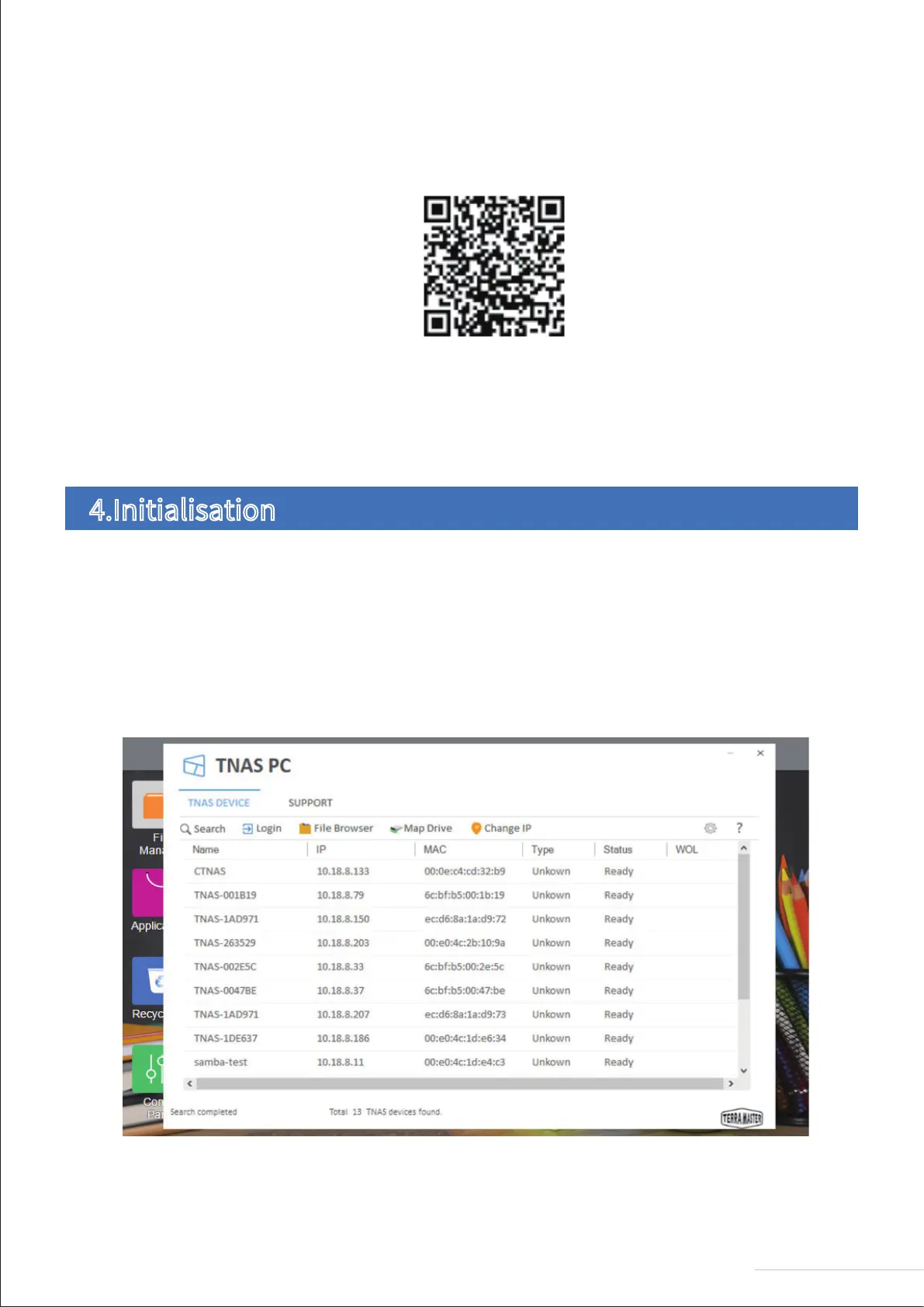
Before initialising your device, you need to find your TNAS device on the network. To find your TNAS, open the
TNAS PC desktop application on your computer and click “Search”.
To download the iOS and Android versions of TNAS mobile, you can search for "TNAS mobile" in the App
Store and Google Play, respectively. Alternatively, visit the “Download” on TerraMaster’s official website
to download the app of android version for free (Note: Your username and password are required to use our
app, so please remember to obtain these details from your TNAS administrator).
Scan the QR code to download the TNAS mobile app
Your newly purchased TNAS must be initialised prior to use. However, before you initialise your device, please ensure the
following: (1) That your TNAS hardware is installed properly; and (2) That you have installed the TNAS PC desktop application
on your computer.
4.Initialisation
7
Model:U4-211


 To Next Page