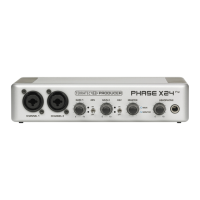
Installing the front module.
Find a free 5¼" bay on the front of your PC. If possible, please install the module in a bay
below the CD, ZIP drive or other devices due to the dangling cables. It may be necessary
to break out the cover plate. Do this with great care to avoid injury.
·
·
·
·
·
Take the loose end of the flat conductor cable that you connected to the PCI card earlier
and thread it from the inside of the PC through the open bay so that it extends out of the
PC case. Connect the plug to the connectors on the rear of the module.
Slide the module into the bay and secure it with the included screws. Make sure that it is
installed solidly, as the frequent plugging and unplugging of cables places higher me-
chanical loads on the module than those that act on a CD drive.
Finishing up.
Reinstall the cover of your PC case.
Connect your audio peripherals (hifi amp, active speakers, mixer, etc.) to the Aureon 7.1
Universe. (See also chapter “
SoundSystem Aureon 7.1 Universe (English) 11



 To Next Page
 Loading...