
 Need help?
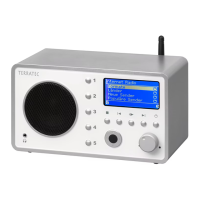
Do you have a question about the TerraTec NOXON iRadio and is the answer not in the manual?
Explains the function of the reset button for rebooting.
Guides users through initial network setup.
Discusses choosing between wired (Ethernet) and wireless (WLAN) connections.
Explains routers, SSID, MAC addresses, and IP addresses.
Describes creating and managing network connection profiles.
Details the steps to configure wireless connection on the iRadio.
Details accessing and updating Internet radio stations via vTuner.
How to add and manage personal radio station lists.
Instructions for playing MP3/WMA files via UPnP server.
Introduction to the included TwonkyMusic UPnP server software.
Common problems with wired and wireless connections.
Answers to frequently asked questions for troubleshooting.
 General
| Type | Internet Radio |
|---|---|
| Display | LCD |
| Presets | Yes |
| Remote Control | Yes |
| Connectivity | Wi-Fi |
| Audio Formats Supported | MP3, WMA |
| Power Supply | AC adapter |

 To Next Page


