Operation
When the computer reboots:
AMCAP
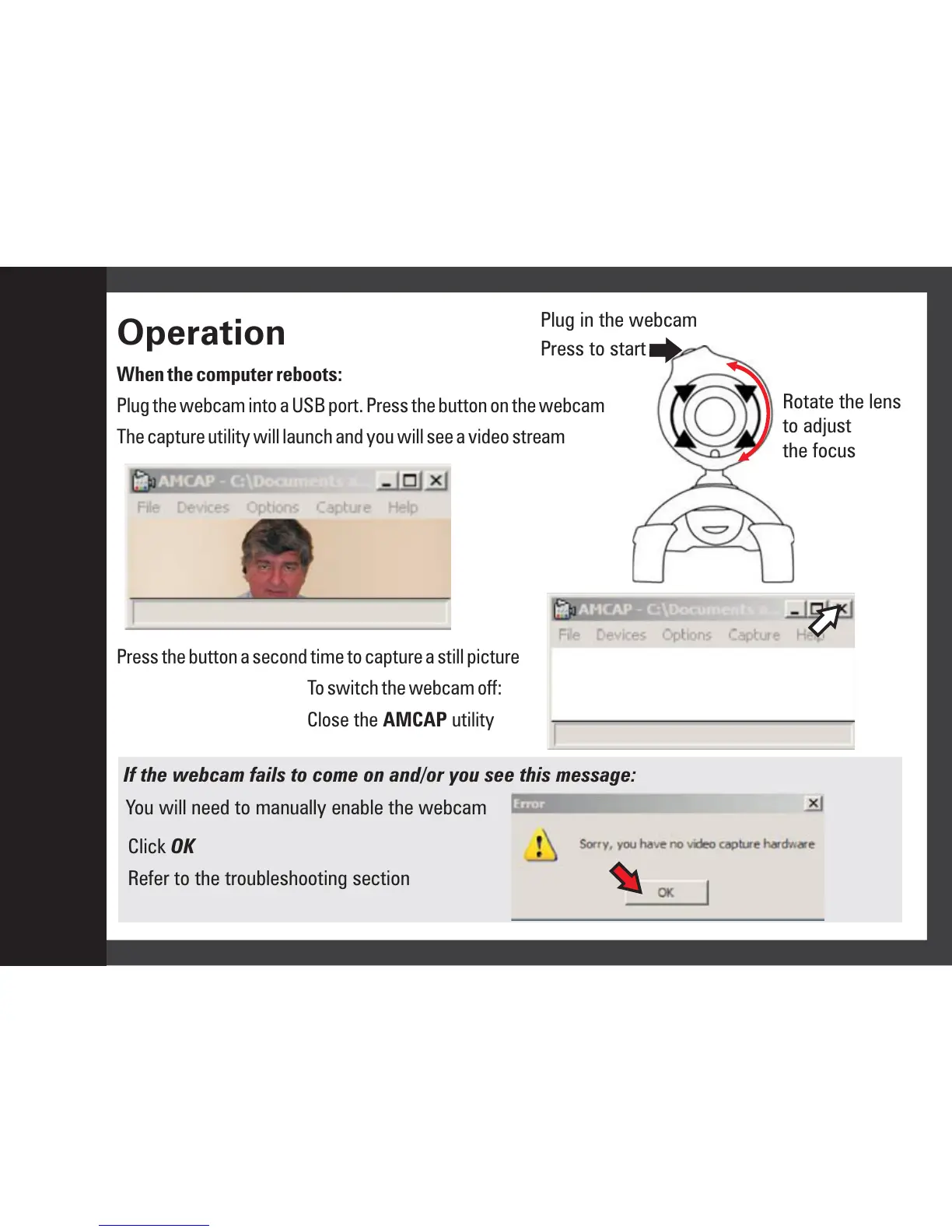
Plug the webcam into a USB port. Press the button on the webcam
The capture utility will launch and you will see a video stream
Press the button a second time to capture a still picture
To switch the webcam off:
Close the utility
Rotate the lens
to adjust
the focus
Plug in the webcam
Press to start
If the webcam fails to come on and/or you see this message:
You will need to manually enable the webcam
Click
Refer to the troubleshooting section
OK
Operation
8


 To Next Page