EasyManua.ls Logo

Tescun PL-660 - User Manual

Tescun PL-660
34 pages
Print Icon
To Next Page IconTo Next Page
Loading...
--- 1 ---
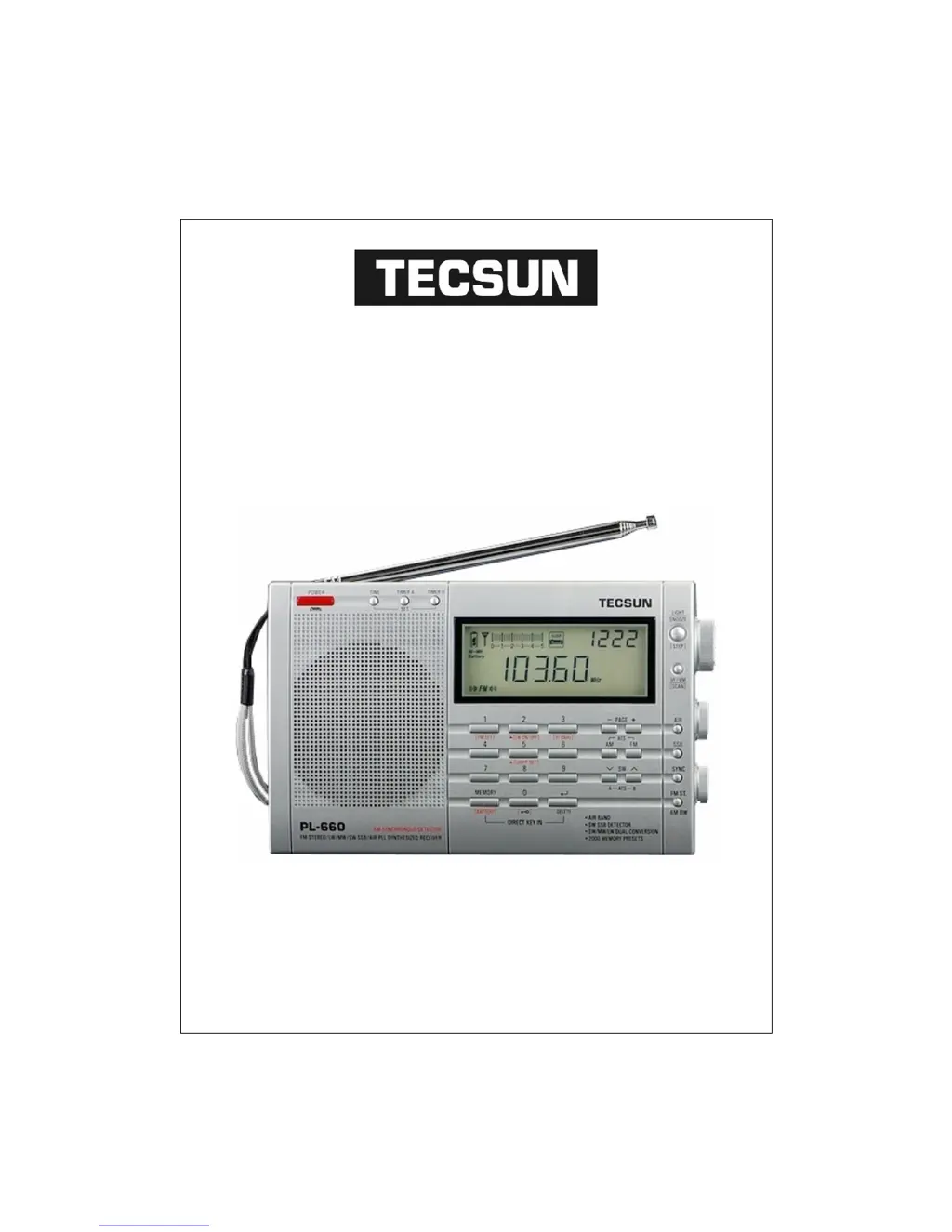
TECSUN ELECTRONIC IND. LTD.
TECSUN PL-660
PLL SYNTHESIZED RECEIVER
FM STEREO / MW / LW / SW-SSB / AIR BAND
OPERATION MANUAL
RN3AMM - 2010

Questions and Answers

  • J
    Julie JohnsonAug 15, 2025
    How to fix Tescun Stereo Receiver that can't turn on?
    • J
      Joshua WellsAug 16, 2025
      If your Tescun Stereo Receiver cannot be turned on, the possible causes are: * The batteries may have no power: Replace all batteries with new ones. * The batteries may be installed incorrectly: Observe the polarities of the battery and reinstall them. * The key knob function may be activated: Press the button to deactivate it.
  • M
    Mrs. Sandra BoyerAug 19, 2025
    Why does my Tescun Stereo Receiver keep turning off?
    • J
      Jonathan FordAug 19, 2025
      If your Tescun Stereo Receiver turns off while listening, it might be due to: * Batteries having no power: Replace all the batteries. * The sleep timer being activated: Simply turn the radio on again.
  • J
    Jessica HolmesAug 21, 2025
    How to improve AM reception on Tescun Stereo Receiver in USA?
    • S
      Sophia RodriguezAug 21, 2025
      If you're experiencing poor AM reception on your Tescun Stereo Receiver in the USA, it's likely because the USA uses a 10 kHz AM tuning step instead of 9 kHz. To resolve this, turn off the radio and press the [9/10kHz] button to select the accurate tuning step.
  • X
    xreyesAug 25, 2025
    Why can my Tescun Stereo Receiver only receive limited FM stations?
    • J
      jacquelinebanksAug 26, 2025
      If you find that only limited FM stations can be received on your Tescun Stereo Receiver, the FM frequency might be accidentally set to 76~90 MHz. To fix this, turn off the radio, then press and hold the [FM SET] button to select the correct FM frequency range.
  • K
    kevin02Aug 27, 2025
    What to do if some stations cannot be stored on Tescun Stereo Receiver during ATS?
    • T
      tlambertAug 27, 2025
      If, during ATS, some stations cannot be stored on your Tescun Stereo Receiver, it's likely because the frequency of those stations is too weak. Try searching for the station manually.
  • J
    Jenna SmithAug 31, 2025
    Why do some stored stations on my Tescun Stereo Receiver have noise?
    • D
      David BennettAug 31, 2025
      If some stored stations on your Tescun Stereo Receiver have noise, it indicates interference in your area. Try lowering the antenna or moving to another location and try again.
  • M
    Meghan Monroe DVMSep 2, 2025
    How to fix low sound on SW SSB broadcasting with Tescun Stereo Receiver?
    • E
      Edward LevineSep 2, 2025
      If the sound of SW SSB broadcasting is too low on your Tescun Stereo Receiver, it's because the default bandwidth is set to Narrow band. Press the [AM BW] button to select the Wide band.
  • R
    rebecca49Sep 5, 2025
    What to do if Tescun Stereo Receiver alarm only produces noise?
    • N
      nicholasturnerSep 5, 2025
      If you are only getting noise with the broadcast when the alarm is on with your Tescun Stereo Receiver: * Ensure that you set the radio station for the alarm correctly by presetting your alarm station properly. * Also, ensure that the radio station has a broadcast in your location.
  • U
    uclarkSep 8, 2025
    Why is the charging time on my Tescun Stereo Receiver getting shorter?
    • G
      gibsonsamanthaSep 8, 2025
      If the charging time of your Tescun Stereo Receiver is becoming shorter, it means the rechargeable batteries are getting old. Replace the old rechargeable batteries with new ones.
  • A
    Ashley JonesSep 12, 2025
    What causes Tescun Stereo Receiver malfunction?
    • M
      Monique BishopSep 12, 2025
      If your Tescun Stereo Receiver is malfunctioning, it may be due to interference causing the computer microchip to not function properly. Remove all batteries, then reload them again. If it's still not working, press the reset button with a pointed object.

Summary

Features

Control Locations

LCD Display

How to Turn On;Off the Radio

Tune in Stations

Method 1: Manual Station Tuning

How to manually select radio stations using the tuning knob.

Method 2: Auto Browse Station

How to automatically scan and preview stations for a short duration.

Method 3: Direct Keypad Entry

How to enter station frequencies directly using the keypad.

Working with Station Memories

Method 1: Storing Station Manually

Step-by-step guide to manually save desired radio stations.

Method 2: Semi-Automatic Storing Station

Saving stations during an auto-browse session.

Method 3: ATS (Auto Tuning Storage)

How to automatically scan and store all available stations.

How to Select Different Memory Page

Delete Memory

Method 1: Delete Single Memory Manually

How to manually remove individual stored stations from memory.

Method 2: Semi-Auto Delete Memory

Deleting stations while auto-browsing through memory.

Method 3: Delete All Memory Within the Page

How to erase all stored stations on a specific memory page.

Listening to Stored Stations

Method 1: Memory Tuning Manually

How to manually tune through saved stations.

Method 2: Auto Browse Memory

Automatically scan through stored stations.

Method 3: Direct Key in Memory Address

Directly access saved stations using their memory address.

Sleep Function

Clock Setting

Alarm Setting (By Radio only)

Setting the Alarm Station

How to choose the radio station for the alarm.

Setting the Alarm Time

How to set the specific time for the alarm to activate.

Snooze Function

Intelligent Light Function

Turn On;Off the Backlight

Instructions for activating and deactivating the LCD backlight.

Setting Tuning Step

FM ST. (FM Stereo)

AM BW (Bandwidth)

Ant. Gain

Tone Control

Key-Lock Function

Intelligent Charging Function

Single Side Band (SSB)

Synchronous Detector

How to Improve FM; SW Reception

System Setting (In Power Off Mode)

Setting FM Frequency Range

How to adjust the FM broadcast reception range.

Turn On;Off the LW

How to enable or disable the Long Wave band.

Setting MW (AM) Tuning Step

How to change the tuning step increment for AM stations.

Turn On;Off the Intelligent Auto Lighting

How to control the automatic backlight feature.

Turn On;Off the Charging Function

How to manage the battery charging function.

Reset Procedure

Important Matters for Using Batteries

Trouble Shooting

Specifications

Tescun PL-660 Specifications

General IconGeneral
BrandTescun
ModelPL-660
CategoryStereo Receiver
LanguageEnglish