18
ENG
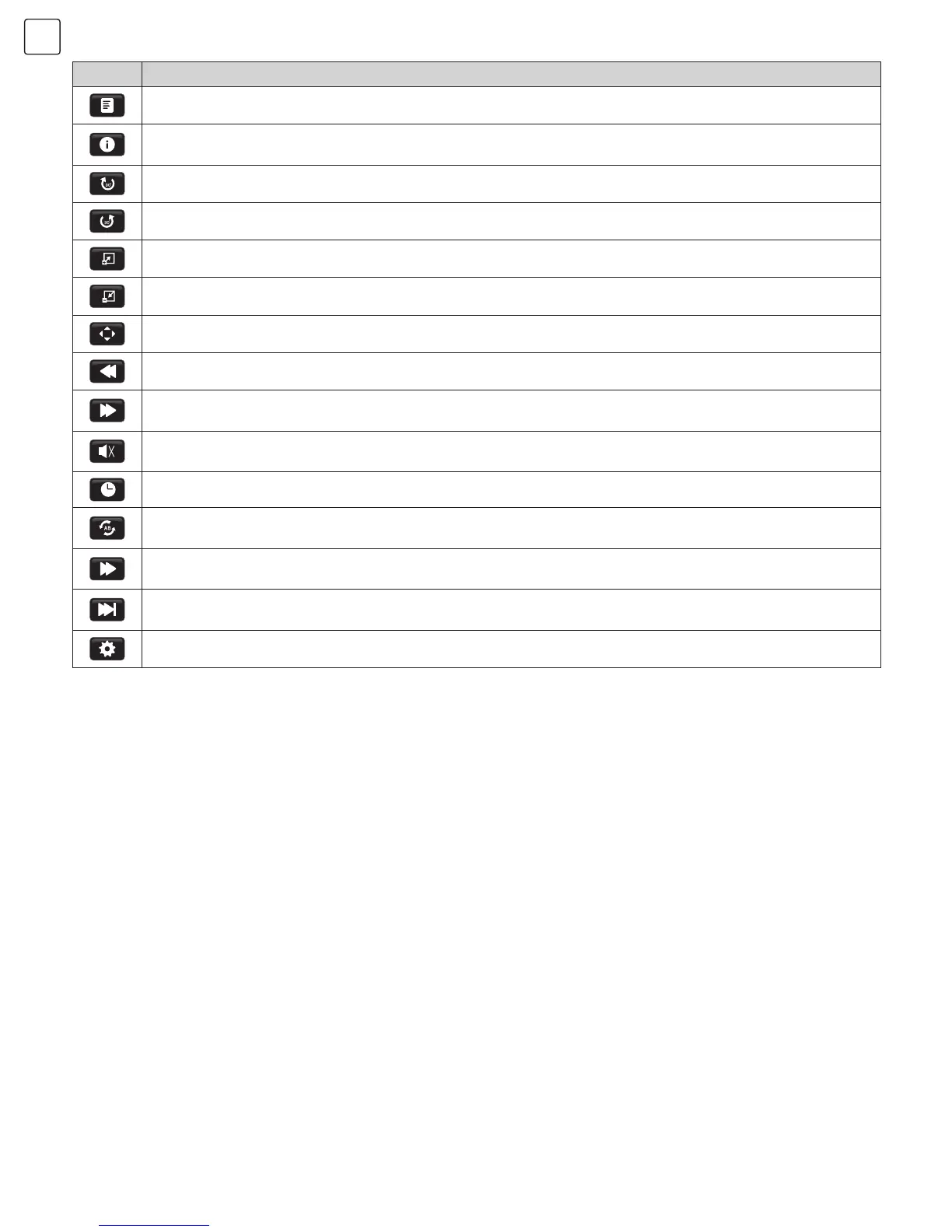
Icon Description
Playlist: Press “t/u“ key to select this function. Press “OK” key to view playlist.
Info. : Press “t/u“ key to select this function. Press “OK” key to view photo information, including
resolution, size and so on.
Rotate: Press “t/u“ key to select this function. Press “OK” key to rotate photos clockwise.
Rotate: Press “t/u“ key to select this function. Press “OK” key to rotate photos counter-clockwise.
Zoom In: Press “t/u“ key to select this function. Press “OK” key to enlarge photos.
Zoom Out: Press “t/u“ key to select this function. Press “OK” key to reduce photos.
Move View: If photo exceeds the screen, use this function to move across the photo.
FB: Press “t/u“ key to select this function. Press “OK” key to fast back. Press "INDEX" key to play normally.
FF: Press “t/u“ key to select this function. Press “OK” key to fast forward. Press "INDEX" key to play
normally.
MUTE: Press “t/u“ key to select this function. Press “OK” key to fast back. Press "MUTE" key to switch off
sound.
Goto Time: Press “t/u“ key to select this function. Press “OK” key to select the time to play.
Set A-B repeat: Press “t/u“ key to select this function. Press “OK” key to set A and B. The film will be
repeated during A to B interval.
Slow Forward: Press “t/u“ key to select this function. Press “OK” key to slow down play speed.
Press “INDEX” key to play normally.
Step Forward: Press “t/u“ key to select this function. Press “OK” key to play step by step. Press “INDEX”
key to play normally.
Aspect Ratio: Press “t/u“ key to select this function. Press “OK” key to select Auto, 4:3, Full.


 To Next Page
 Loading...