EasyManua.ls Logo

Tesla MediaBox X900 Pro - User Manual

Tesla MediaBox X900 Pro
29 pages
Go to English
Print Icon
To Next Page IconTo Next Page
Loading...
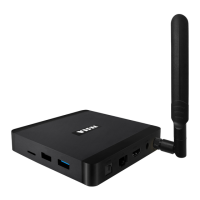
TESLA MediaBox X900 Pro

Questions and Answers

  • J
    Jesse KingAug 9, 2025
    Why is my Tesla MediaBox X900 Pro so slow?
    • D
      Darrell MendozaAug 9, 2025
      Your Tesla Media Player might be running slowly because Android OS applications are updating in the background. This can temporarily slow down the system's response. Check if Google Play is downloading a new version or if Google Services are updating. Allow the device to finish these updates, and then restart it.
  • E
    Eric MorrisAug 13, 2025
    What to do if my Tesla MediaBox X900 Pro won't switch on?
    • J
      John RiveraAug 13, 2025
      If your Tesla Media Player is not switching on, check if the device is connected to a 230 V power source and verify the HDMI cable connection with your TV.
  • C
    Cynthia HughesAug 18, 2025
    How to fix WiFi connection issues on my Tesla MediaBox X900 Pro?
    • G
      Gabriel PopeAug 19, 2025
      To fix WiFi connection issues on your Tesla Media Player, first check your WiFi router. Ensure that WiFi is enabled on your device. Test other devices like a smartphone or laptop to see if the WiFi problems persist. If the connection is functional on other devices, use the same connection for your Tesla Media Player. Verify that you are within the WiFi network's coverage area and that the configuration is correct.
  • M
    Mark MckeeAug 23, 2025
    How to update the firmware on Tesla Media Player?
    • W
      William ThomasAug 23, 2025
      To update the firmware, open the “System Update” app on your device and follow the on-screen instructions. After updating, it's recommended to back up your data and then perform a factory reset.
  • S
    Stephanie CannonAug 29, 2025
    Why is my Tesla DVD Player WiFi connection not working?
    • T
      Tim ScottAug 29, 2025
      Check your WiFi router and ensure WiFi is enabled on your Tesla DVD Player. Test other devices like smartphones or laptops to see if WiFi problems persist. If other devices also experience issues, the problem might be with your router. If the connection is functional, choose the same connection for the device. Also, verify that you are within WiFi network coverage and that the configuration is correct.
  • M
    Maureen HaynesSep 3, 2025
    How to update firmware on Tesla DVD Player?
    • R
      radamsSep 3, 2025
      Open the “System Update” app on your Tesla DVD Player and follow the on-screen instructions. After updating, it's recommended that you back up your data and then perform a factory reset.

Tesla MediaBox X900 Pro Specifications

General IconGeneral
BrandTesla
ModelMediaBox X900 Pro
CategoryMedia Player
LanguageEnglish