Operation
30 Testboy
®
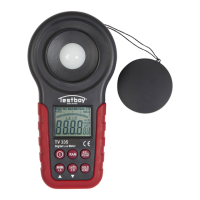
TV 335
Data hold function
By momentary activation of the button “Hold/Zero”, the meas-
urement value is saved until the button is again activated.
Replacing the battery
In the delivery condition, the instrument is already equipped
with a 9V alkaline battery, Type 6F22. As soon as the Low-Bat
indication appears on the LC display, the battery must be re-
placed, because the correctness of the indication is no longer
be ensured. To replace the battery, proceed as follows:
| Use a screwdriver to open the battery compartment and re-
move the old battery.
| Insert a new battery of the same type.
| Thereby, make sure that the polarity is correct
| Make sure that the battery is firm and secure.
| Install the battery compartment cover on the instrument.
| Firmly attach the battery compartment cover
The end user is legally obliged (battery law) to return all used
batteries and battery packs (button cell to lead battery); disposal
in the normal domestic waste is prohibited. Used batteries and
battery packs can be disposed of in community disposers (recy-
cling depot), which are obliged to accept them.
Make a contribution to environmental protection!


 To Next Page