Calibration of TT-SI 9001 & 9002
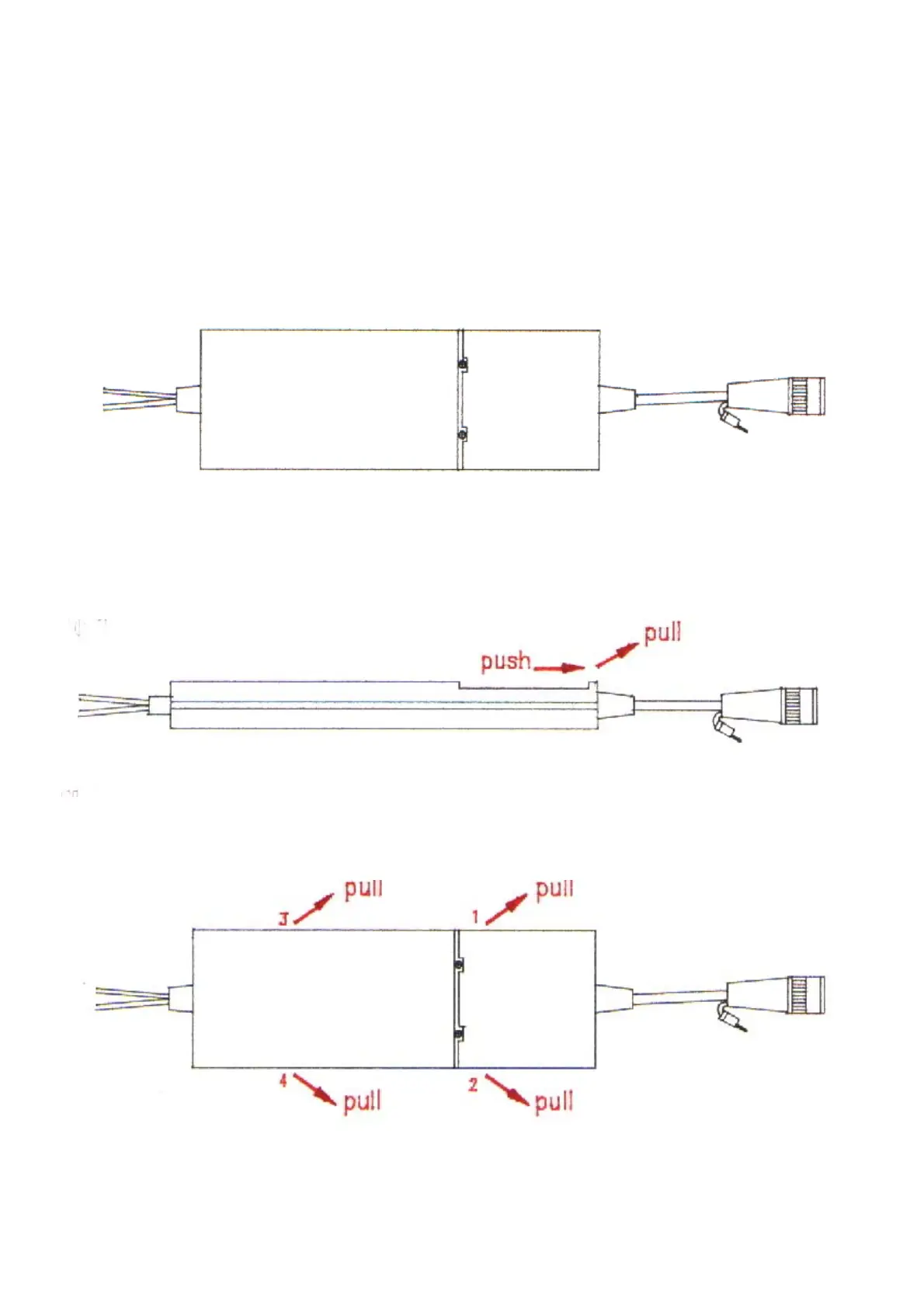
1. How to open the case, please follow the steps.
1.1 Remove the battery lid.
1.2 You will see the two screws and loosen them.
Fig. 1
1.3 Near the BNC cable side, there are two protuberant mortises. Use fingers to push back and pull
upward.
Fig. 2
1.4 Use fingers to press the bottom case inward, and pull it backward and upward.
Fig.3
1


 To Next Page