17
77.. PPrrooggrraammmmiinngg
7.5 PProgramming tthe ddata llogger
Any readings in the data logger are deleted if the data logger is
programmed.
Read out any data from the data logger which may exist
before programming
(See testo ComSoft software instruction manual).
Select
Start
(Comsoft 4) or
Instrument
(Comsoft 3) >
Device
control
.
This function is only activated if the name of the connection is
highlighted. If this is not the case:
First click on the name of the connection so that it is highlighted
and then select
Start
(Comsoft 4) or
Instrument
(Comsoft 3) >
Device control
.
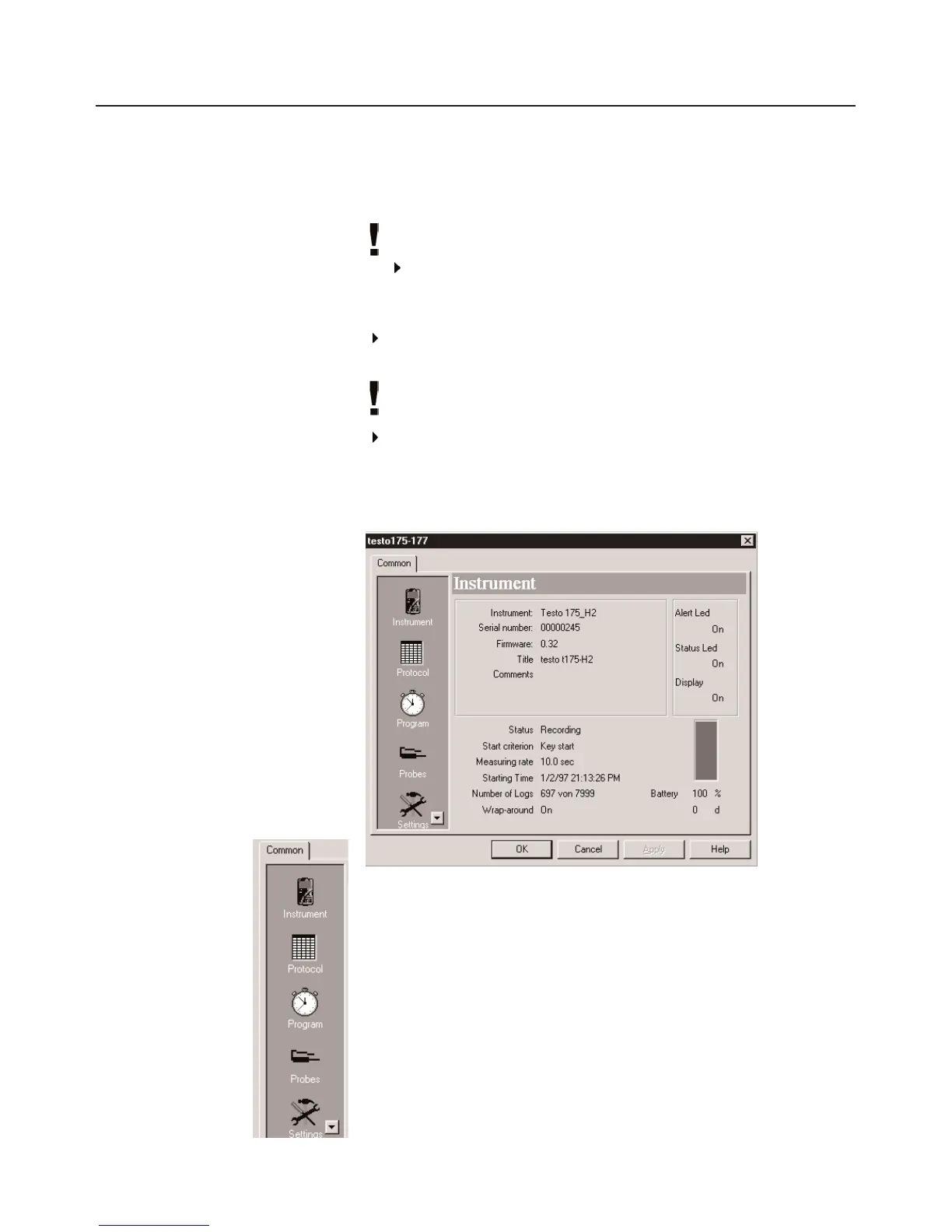
- The window for programming the data logger opens.
Window sselection
You will find a bar on on the left side in which the available windows
are shown. Click to select.
Programming rrecommendation
It is recommended to carry out programming first in the
Probes
and
Settings
windows and then in the
Program window
.



 To Next Page