EasyManua.ls Logo

Teufel KB 62 CR - User Manual

Teufel KB 62 CR
44 pages
Print Icon
To Next Page IconTo Next Page
Loading...
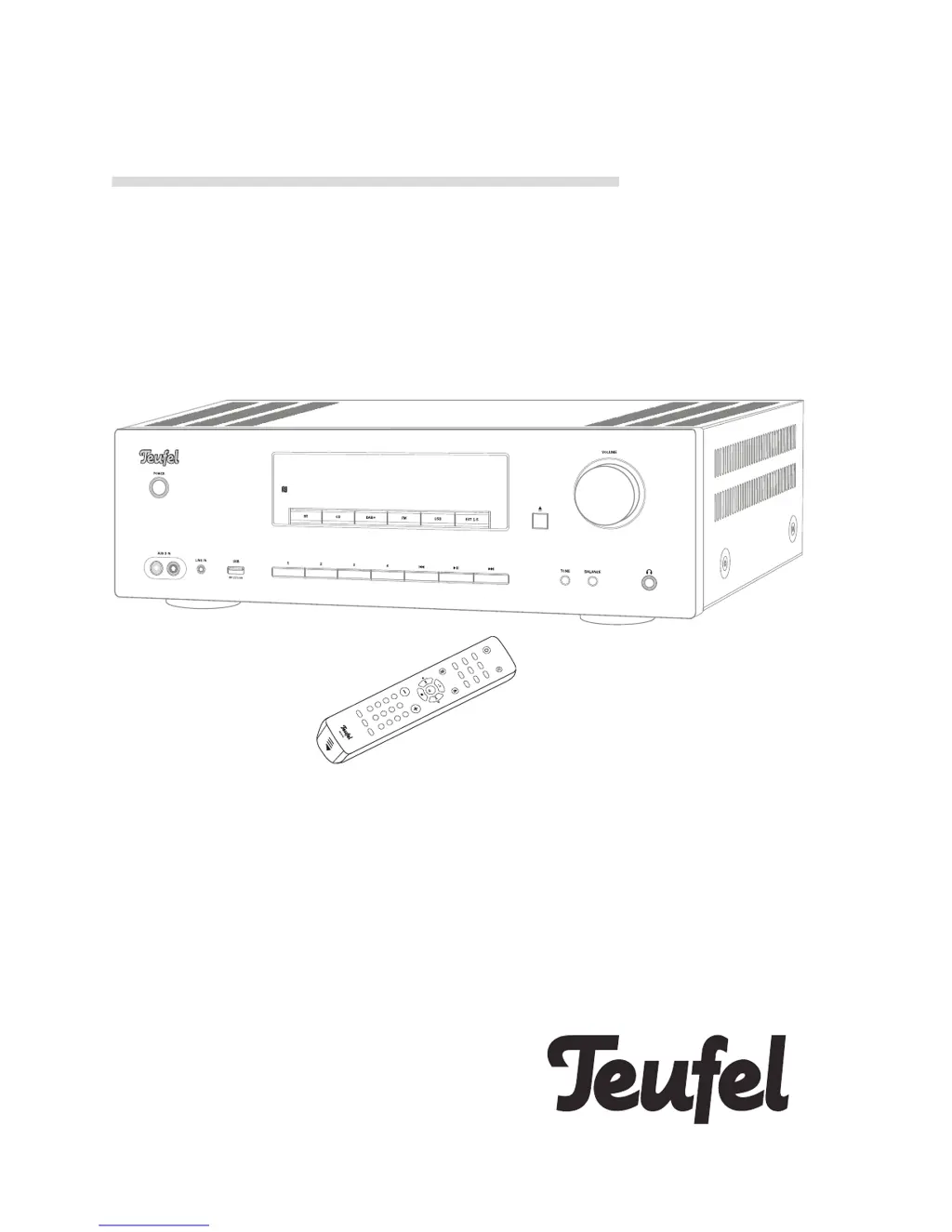
Technical Description And User Manual
KB 62 CR
2.1 CD receiver with DAB+ and Bluetooth
®
1
2
3
45
6
7
8
0
10+
SLEEP
SOUND
AUTO
DISPLAY
9
BT
CD
DAB+
OPT
USB
FM
PHONO
MENU
VOLUME
SELECT
EJECT
AUX 1/2 LINE IN

Questions and Answers

  • O
    Omar BergerAug 13, 2025
    What to do if the USB device is not recognized by my Teufel KB 62 CR Car Receiver?
    • J
      Jeffery SchmittAug 13, 2025
      If your Teufel Car Receiver USB device isn't being recognized, it might be because you're using the rear USB port, which is only for charging. To play audio files, use the front USB port. Also, the connected USB device might be consuming too much power. In this case, connect an additional power supply to the USB device.
  • M
    Michele BurkeAug 17, 2025
    Why is there no sound in Bluetooth mode on my Teufel Car Receiver?
    • J
      Jerry PinedaAug 18, 2025
      If you're experiencing no sound in Bluetooth mode on your Teufel Car Receiver, there might not be a Bluetooth connection. Establish a connection. Also, ensure that “Teufel KB 62” is selected as the Bluetooth output device on your external player. The Bluetooth connection might be impaired by another radio system. Try setting up the KB 62 CR and/or external player in another location or room to test.
  • R
    rwallAug 21, 2025
    Why is my Teufel Car Receiver subwoofer humming?
    • C
      Caitlin MartinezAug 21, 2025
      If your Teufel Car Receiver's subwoofer is humming, it could be connected to a different power circuit than the rest of your system. Connect the KB 62 CR to the same power circuit. The hum might also be due to line disturbance; try using a line filter. If you're using a multiple socket strip, it could be the cause; try a different one or connect the KB 62 CR directly to the wall socket.
  • J
    jacob35Aug 25, 2025
    What to do if my Teufel KB 62 CR DAB+ reports “No signal” or “Service Not Available”?
    • S
      Sean SmithAug 26, 2025
      If your Teufel Car Receiver reports “No signal” or “Service Not Available” on DAB+, it indicates no or very weak DAB reception. Check the antenna. If needed, use an active room antenna or outside antenna.
  • G
    Gail CookAug 28, 2025
    How to fix no sound on my Teufel KB 62 CR Car Receiver?
    • C
      Christopher WilliamsAug 28, 2025
      If your Teufel Car Receiver isn't producing any sound, ensure the correct source is selected. Also, check that the volume isn't set too low, both on the receiver and any external players. Finally, ensure the speaker cable is properly connected.
  • B
    Beth DelgadoSep 1, 2025
    Why does my Teufel KB 62 CR say “Not supported” when I connect a USB device?
    • C
      Catherine CraigSep 1, 2025
      If, when connecting a USB device to your Teufel Car Receiver, “Not supported” appears on the display, it means the file format of the USB device is not supported. The KB 62 CR supports the FAT16 and FAT32 file systems. Use a USB device with a suitable file system.
  • J
    johendersonSep 5, 2025
    What to do if the playback is noisy on my Teufel KB 62 CR?
    • C
      Craig ArnoldSep 5, 2025
      To address noisy playback on your Teufel Car Receiver, ensure that the external player emits a clear signal to the KB 62 CR.
  • C
    Christine NelsonSep 8, 2025
    What to do if my Teufel KB 62 CR has no function?
    • D
      David TerrySep 8, 2025
      If your Teufel Car Receiver has no function, check the function of the socket with another device, as the cause may be no power supply.

Summary

General Information and Safety

General Notes, Trademarks, and Packaging

Details notices, trademarks (Bluetooth, NFC, aptX), and original packaging policy for returns.

Complaints and Contact Information

Instructions for filing complaints and contact details for customer service.

Proper Use and Safety Advice

Defines intended use, general safety, and specific advice for proper operation.

Safety and Disposal Symbols

Explains electrical safety, housing warnings, and symbols for device and battery disposal.

Signal Terms and Electrical Safety

Defines warning terms (CAUTION, NOTICE) and provides important electrical safety precautions.

Placement, Child, and Hearing Safety Warnings

Covers risks of unsuitable placement, child hazards, and potential hearing damage from loud volumes.

Device Operation Safety Warnings

Safety advice on laser beams, magnetic material impact, condensation, and fire prevention.

Product Overview, Setup, and Connections

Unpacking and Checking Product Contents

Steps for unpacking, listing contents, and verifying the delivery.

Control Elements and Connections

Identification of front and back panel controls, ports, and connectors.

Remote Control Operation and Setup

Details remote control functions, battery installation, and signal transmission.

Setup and Connection Guide

Guidance on placement, antenna connection, and input/output jack configuration.

Audio and Speaker Connectivity

Instructions for connecting various audio sources, speakers, and digital inputs.

Specialized Audio Connections

Details for connecting subwoofers, REC OUT, and headphones.

Mains Power Connection

Steps for safely connecting the device to a power outlet.

Basic Functions and Modes of Operation

Device Activation, Standby, and Source Selection

Instructions for powering on/off, standby mode, and choosing audio input sources.

Volume, Sound, and Balance Adjustments

Controls for volume, mute, tone (bass/treble), and speaker balance.

Crossover Frequency Setting

Setting the subwoofer crossover frequency to optimize audio output.

Menu Navigation and Functions

How to access and navigate the device's menu system for various settings.

Menu Settings: Brightness, Reset, Software, and Exit

Adjusting display brightness, resetting defaults, updating software, and exiting the menu.

Radio Mode Operation

Tuning FM and DAB+ radio stations, including automatic and manual selection.

Station Memory Management

Saving and selecting radio stations manually or via automatic scan.

Bluetooth Mode and Pairing

Connecting external devices wirelessly via Bluetooth, including manual and NFC pairing methods.

Bluetooth Playback and Connection Management

Playing audio, controlling playback, and terminating Bluetooth connections.

CD Mode Operations

Instructions for inserting, playing, ejecting, and managing CD playback modes like repeat and shuffle.

USB Mode Operations

Connecting USB devices, playing audio files, and safely removing USB storage.

Sleep Function

Setting the automatic sleep timer for the device to switch off after a preset period.

Maintenance, Troubleshooting, and Technical Data

Care and Cleaning Instructions

Guidelines for cleaning and maintaining the device's exterior to prevent damage.

Troubleshooting Common Issues

A guide to diagnosing and resolving common problems encountered with the device.

Technical Specifications

Key technical data including dimensions, weight, power consumption, and compliance information.

Teufel KB 62 CR Specifications

General IconGeneral
BrandTeufel
ModelKB 62 CR
CategoryCar Receiver
LanguageEnglish

Related product manuals