EasyManua.ls Logo

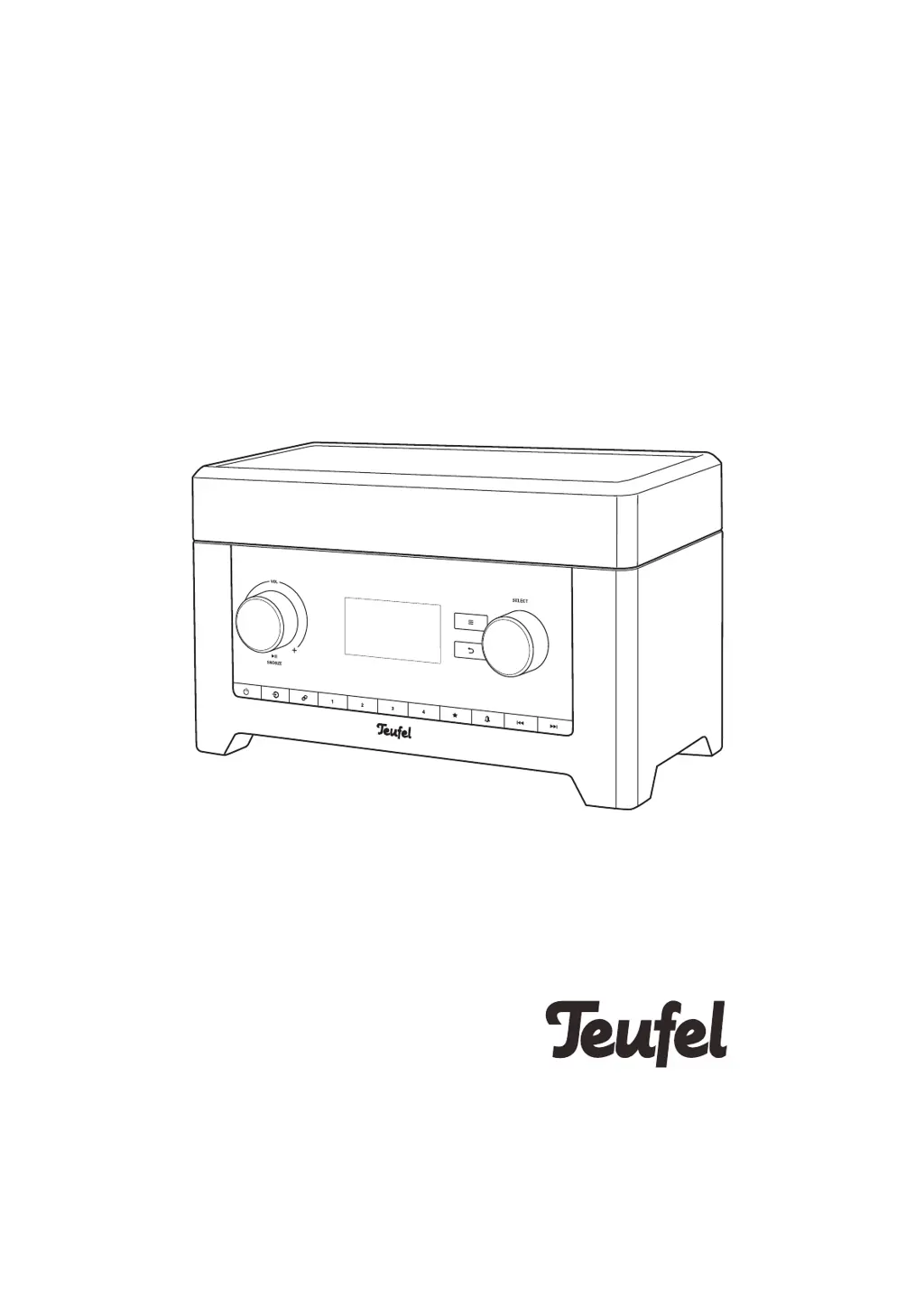
Teufel Radio 3sixty - User Manual

Teufel Radio 3sixty
52 pages
Print Icon
To Next Page IconTo Next Page
Loading...
Radio 3sixty
Radio with FM, DAB/DAB+, web radio,
USB playback, Bluetooth
®
, Spotify
®
Connect,
Amazon Music
®
, network streaming and app
Technical Description And User
Manual

Questions and Answers

Summary

General Notes and Information

Trademarks

Legal information regarding brand ownership and usage.

Customer Complaints Process

Required information for processing customer complaints.

Contact and Support Information

Company Contact Details

Address, phone, fax, and online support channels.

Initial Delivery Inspection

Procedure for checking the device upon arrival.

Safety and Proper Usage

Intended Use Guidelines

Instructions for correct and appropriate device operation.

Understanding Warning Indicators

Explanation of signal terms used for safety alerts.

Critical Safety Warnings

Electrical Hazards and Precautions

Warnings related to power connection and mains adapter.

Environmental and Placement Safety

Advice on device location to prevent hazards.

Child Safety Advisory

Precautions concerning children and packaging.

Health and Safety Advisory

Battery Safety and Handling

Warnings about battery ingestion and leakage.

Hearing Health Warning

Caution regarding high volume listening.

Device Handling Precautions

Magnetic Material Caution

Advisory for individuals with medical implants.

Fire and Damage Prevention Measures

Instructions to avoid fire and device damage.

Surface Discoloration Notice

Information about potential floor discoloration.

Symbols and Waste Disposal

Explanation of Device Symbols

Meanings of graphical symbols used on the device.

Proper Waste Disposal Guidelines

Instructions for discarding old devices and batteries.

Product Overview and Contents

Unpacking Instructions

Steps for safely removing the device from its packaging.

Package Contents Checklist

List of items included in the delivery.

Front Panel Controls and Indicators

Front Side Control Descriptions

Detailed explanation of buttons and dials on the front panel.

Rear Panel Connections

Back Side Port Explanations

Description of connectors and the telescopic antenna.

Display Panel Functionality

Display Panel Information Layout

How information is presented on the screen.

Display Panel Symbols Reference

Guide to icons appearing on the display.

Remote Control Operations

Remote Control Button Functions

Detailed description of each button's purpose.

Remote Control Battery Management

Battery Replacement Procedure

Step-by-step guide for changing the battery.

Battery Safety and Handling Warnings

Crucial safety advice for battery usage.

Initial Setup and Placement Guide

Device Setup and Connection Steps

General instructions for initial setup.

Optimal Device Placement Tips

Recommendations for ideal location.

Cable Management for Safety

Ensuring cables do not pose a tripping hazard.

Removing the Protective Display Film

Guide to removing the screen protector.

Powering and Activating the Radio

Mains Adapter Connection

Instructions for connecting the power supply.

Device Activation and Standby Mode

How to turn the device on and off.

Guided Setup Wizard

Setup Wizard Navigation and Options

How to use the wizard and its choices.

Network Configuration via Wizard

Setting up Wi-Fi during the initial wizard.

Wi-Fi Network Configuration Details

Selecting and Connecting to Wi-Fi

Steps for choosing a network and entering credentials.

Wi-Fi Connection Using WPS

Alternative method for connecting to Wi-Fi.

Core Operation and Source Selection

Switching Between Audio Sources

Guide to selecting FM, DAB, Internet, Bluetooth, etc.

Source Menu Navigation Overview

Internet Radio Source Menu

Options available for Internet radio.

USB;Network Source Menu

Options for USB and network media playback.

DAB Radio Source Menu

Options for digital radio tuning.

FM Radio Source Menu

Options for analog radio tuning.

Audio Control and Settings

Volume Adjustment Procedure

How to increase, decrease, and mute volume.

Sound (Bass;Treble) Configuration

Adjusting audio equalization.

System Menu Navigation

Accessing and Navigating Menus

Instructions for using the device's menu system.

Source and System Settings Structure

List of Available Audio Sources

Comprehensive list of input options.

System Settings Menu Categories

Overview of the main setting groups.

Alarm and Audio Configuration

Alarm Settings and Options

Configuring wake-up alarms and their parameters.

Equalizer and Audio Profile Setup

Customizing sound settings.

Source Menu Functions

Standby Timer Functionality

How to set the automatic shut-off timer.

Alarm Clock Operations

Detailed guide on setting and managing alarms.

Advanced System Configuration

Audio Quality and Network Settings

Adjusting streaming quality and Wi-Fi parameters.

Network Wizard and Manual Setup

Detailed Wi-Fi connection configuration.

Time, Language, and System Updates

Time, Date, and Language Settings

Configuring device time, date, and display language.

Factory Reset and Software Update Procedures

Resetting device and updating firmware.

Display Brightness and Privacy

Backlight and Standby Display Settings

Adjusting screen brightness and timeout.

Data Privacy Declaration Link

Accessing the privacy policy.

Teufel Remote App Integration

Using the Smartphone Remote App

Guide to controlling the radio via the mobile application.

Internet Radio Functionality

Selecting and Tuning Internet Radio Stations

Finding and listening to online radio.

Searching for Internet Radio Content

Station Search Feature Usage

How to use the search function for stations and podcasts.

Audio Playback Operations

Controlling Track Playback

Managing playback of selected audio content.

Station Memory and Presets

Saving Favorite Radio Stations

Storing stations for quick recall.

Using Dedicated Station Preset Buttons

Accessing saved stations via number buttons.

The Radio Portal for Station Management

Online Portal Features and Registration

Managing favorite stations via the web portal.

Radio Mode Operations

DAB;DAB+ Digital Radio Tuning

Instructions for receiving digital radio broadcasts.

DAB Radio Advanced Settings

Manual Tuning, Scanning, and DRC

Fine-tuning DAB reception and audio processing.

Station Order and Filtering Options

Customizing how stations are listed.

FM Radio Operations and Settings

Tuning and Setting FM Radio Stations

Finding and saving analog radio stations.

FM Search and Stereo Mode Adjustments

Optimizing FM signal reception.

Saving and Accessing Radio Presets

Storing DAB and FM Station Presets

Saving favorite stations for DAB and FM.

Retrieving Saved Radio Presets

Accessing previously saved stations.

USB Media Playback Functionality

Connecting and Playing Audio from USB

Steps for using USB storage devices.

Network Media Streaming

Connecting to UPnP;DLNA Media Servers

Accessing audio files over the local network.

Media Playback Control

Controlling Playback of Network;USB Media

Managing playback functions for digital media.

Playlist Management and DMR

Creating and Managing Playlists

Adding tracks to custom playlists.

Digital Media Renderer (DMR) Functionality

Using the device as a network media renderer.

Bluetooth Wireless Connectivity

Pairing External Devices via Bluetooth

Steps for establishing a Bluetooth connection.

Bluetooth Media Playback Control

Managing Audio Playback via Bluetooth

Controlling music from connected Bluetooth devices.

Amazon Music Service Integration

Registering and Using Amazon Music

Setting up and accessing the Amazon Music service.

Spotify Connect Functionality

Using Spotify Connect Remotely

Controlling Spotify via other devices.

AUX Input for External Audio

Connecting and Playing Audio via AUX

Using wired analog audio sources.

Device Care and Cleaning

Proper Cleaning Procedures

Guidelines for maintaining the device's appearance.

Troubleshooting Common Problems

Resolving Power, Sound, and Wireless Issues

Solutions for basic operational problems.

Advanced Troubleshooting Scenarios

Network Playback and Audio Quality Fixes

Solutions for network streaming and noise issues.

Technical Specifications and Compliance

Device Dimensions, Weight, and Power

Physical and electrical specifications.

Radio Frequency and Transmission Power Data

Details on wireless communication bands.

EU Declaration of Conformity

Compliance with EU Directives

Statement regarding product compliance.

Teufel Radio 3sixty Specifications

General IconGeneral
Alarm FunctionYes
Remote ControlYes
Internet RadioYes
DAB+Yes
FMYes
WLANYes
MultiroomYes
App controlYes
Headphone JackYes
USBYes
ConnectivityBluetooth
Streaming ServicesSpotify Connect, Deezer, Napster
Supported Audio FormatsMP3, WMA, AAC
Speaker Output30 W
DisplayColor LCD

Related product manuals