11
Helpline No. UK/Northern Ireland 01270 508538 Rep. Ireland 1800 995 036
Web Support www.quesh.co.uk
Model Number: 44170 9
Playback Mode Selection
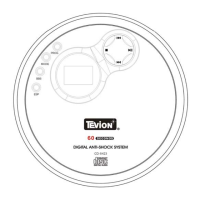
Skip Mode
1. During play or pause mode, press the Skip Up Button to go to the
next track.
2. During play or pause mode, press the Skip Down Button to go back to
the beginning of the track. Press the Skip Down Button again to go
back to the previous track.
Different Play Mode
1. Press the Mode Button to select different kinds of play mode with the
following sequence.
For CD Disc : Repeat Repeat All Random Normal
For MP3 Disc : Repeat Repeat Album Repeat All Random
Normal
Playing Tracks In a Specified Order
The programming can only be done in the Stop mode
1. Press the Program Button, the LCD display will display 01 and flash.
2. Use the Skip Next or Skip Previous Button to select the desired track.
3. Press the Program Button again to store the selected track into the
memory, the LCD display will show 02 and flash.
4. Repeat steps 2 to 3 to store more tracks into the memory. You can
store up to 20 tracks in the memory at any one time.
5. Press the Play/Pause Button to start playing the disc in the
programmed order.
6. To stop playing, press the Stop Button.
7. To cancel the programming list, press the Stop Button and open the
CD compartment door or select a different function AUX/OFF or
RADIO.
7



 To Next Page