EasyManua.ls Logo

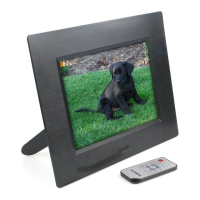
Tevion 7” Digital Photo Frame - User Manual

Tevion 7” Digital Photo Frame
20 pages
Print Icon
To Next Page IconTo Next Page
Loading...
7” Digital Photo Frame
User Manual
After Sales Support
Having purchased a TEVION Digital Photo Frame you can rest assured in
the knowledge that in addition to your 3 year parts and labour warranty
you have the added peace of mind of dedicated help lines and web
support:
Question and Answer IconNeed help?

Do you have a question about the Tevion 7” Digital Photo Frame and is the answer not in the manual?

Summary

Frame Setup and Configuration

Advanced Setup Options

Display and Playback Settings

Media Playback Functions

Photo Viewing Modes

How to browse and view photos using thumbnail and file manager.

Music Playback

Instructions for playing audio files from media cards or USB.

Photo + Music Playback

Playing photos and music simultaneously.

Movie Playback

Instructions for playing video files from media cards or USB.

Calendar and Clock Operations

Clock Display and Time Setting

Managing the device's clock display and setting the current time.

Alarm and Auto-Power Management

Alarm Configuration

Setting, enabling, disabling, and stopping alarms on the device.

Auto-Power Timer Settings

Scheduling automatic power on and power off times for the device.

File Management and Editing

Troubleshooting and Support

Frequently Asked Questions (FAQ)

Solutions to common issues encountered while using the photo frame.

Tevion 7” Digital Photo Frame Specifications

General IconGeneral
BrandTevion
Model7” Digital Photo Frame
CategoryDigital Photo Frame
LanguageEnglish

Related product manuals