OPERATING YOUR FREEVIEW BOX
Helpline No. UK/Northern Ireland 01270 508538 Rep. Ireland 1800 995 036
Web Support www.quesh.co.uk
Model Number: 44217
Once your Set Top Box is connected to your TV it
is ready for operation. When the set top box is
turned on for the first time or taken out of
standby with no services, a welcome screen will
be displayed. This will give you the option to
press the “OK” key to start a full frequency scan
as shown.
USB OPERATION
To use a USB device simply connect it to your Set Top Box, then navigate to the multimedia option.
For full instructions please refer to the user guide
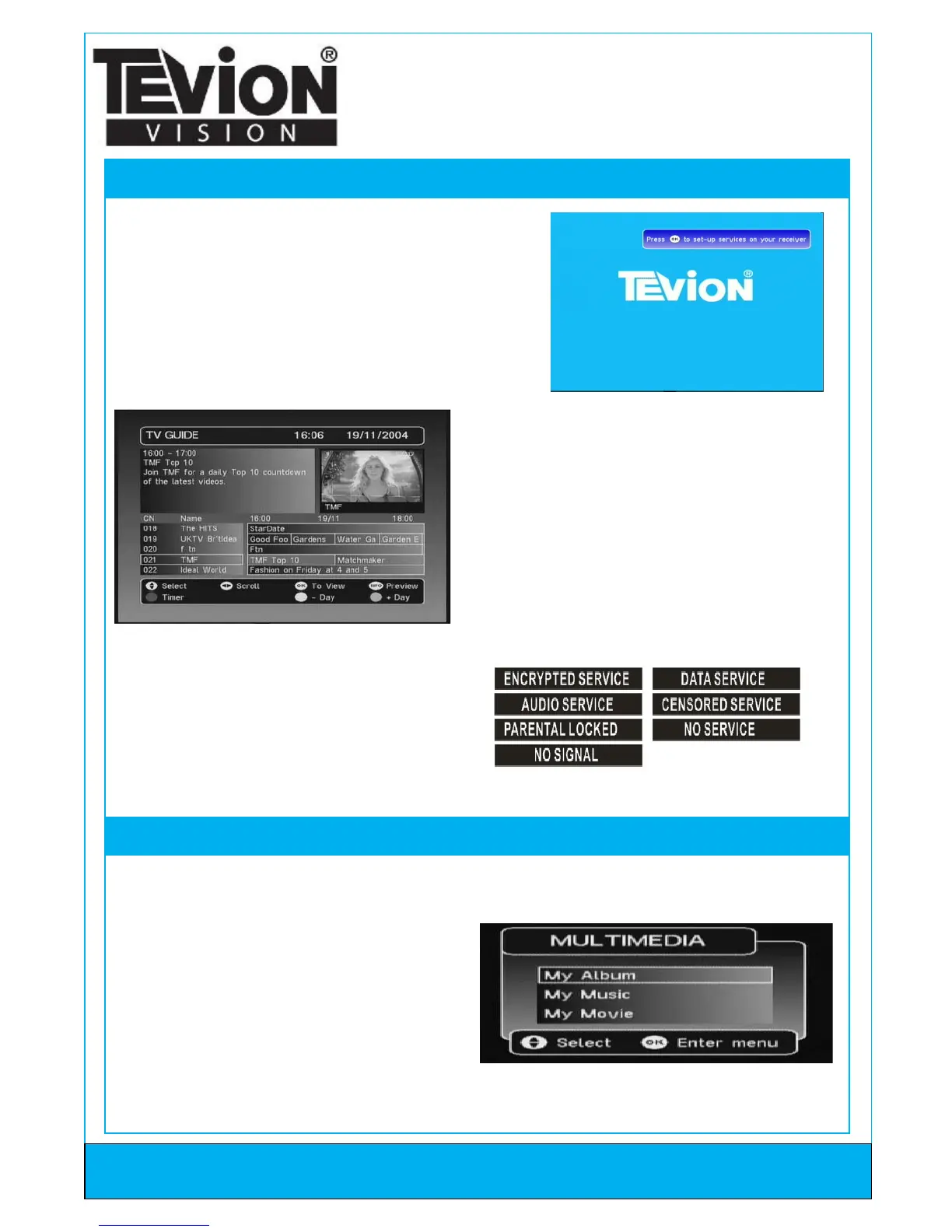
When the scan is complete and takes you to
your first channel, press the “EPG” key to show
the list of installed services and to choose which
channel you wish to view. Also a video/audio
preview is given in the top right hand corner
which shows the channel currently being
watched. You can scroll through this menu,
select between now and next information and
also use the “RED” key to add a timer for a
programme.
If a channel is not available and you cannot see a
preview for the channel one of the following will
be displayed in the preview area.
Here you have three options.
1. My Album - For viewing photo’s in the
following formats JPG/BMP/GIF.
2. My Music - For playing music in the following
formats MP3/WMA.
3. My Movie - Can play some Divx Movies.
Digital Freeview Receiver
Quick Set-Up Guide



 To Previous Page
 Loading...