Need help?
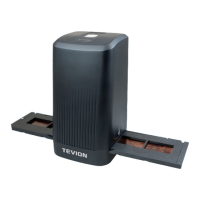
Do you have a question about the Tevion Film Strip Scanner and is the answer not in the manual?
Instructions for installing scanner driver and ArcSoft Photo Impression 6 software.
Overview of the 'Adjust' tools, including Enhance, for photo modification.
How to fix unnatural colours, brightness, and faded prints.
Methods for automatically or manually removing red-eye from flash photography.
Instructions on how to trim photos to specific proportions or custom sizes.
Guide on how to fix tilted photos using a slider and grid lines.
Tool for fixing dust, scratches, and skin blemishes on photos.
Used for removing unwanted elements or cloning parts of an image.
Adjusts specific areas of a photo for brightness and darkness.
Simulates the effect of smearing wet paint on an image.
Enhances detail and clarity in blurry areas of a photo.
Smoothes out rough areas and softens details in an image.
Allows users to paint directly on pictures with adjustable brush size and transparency.
Used to draw straight lines on photos with adjustable width and transparency.
Removes painted images or line tools from a photo with adjustable size and effect.
Offers various clipping tools like Rectangular, Elliptical, and Freehand selection.
Lists the necessary hardware and software configurations for running the scanner.
Troubleshooting for scanner recognition and related Windows messages.
Addresses issues with CD auto-start, driver loading, and software functionality.
Troubleshooting for calibration errors and overexposed slides or negatives.


 To Next Page
 General