**** ****
**** ****
- Installer Manual -
6
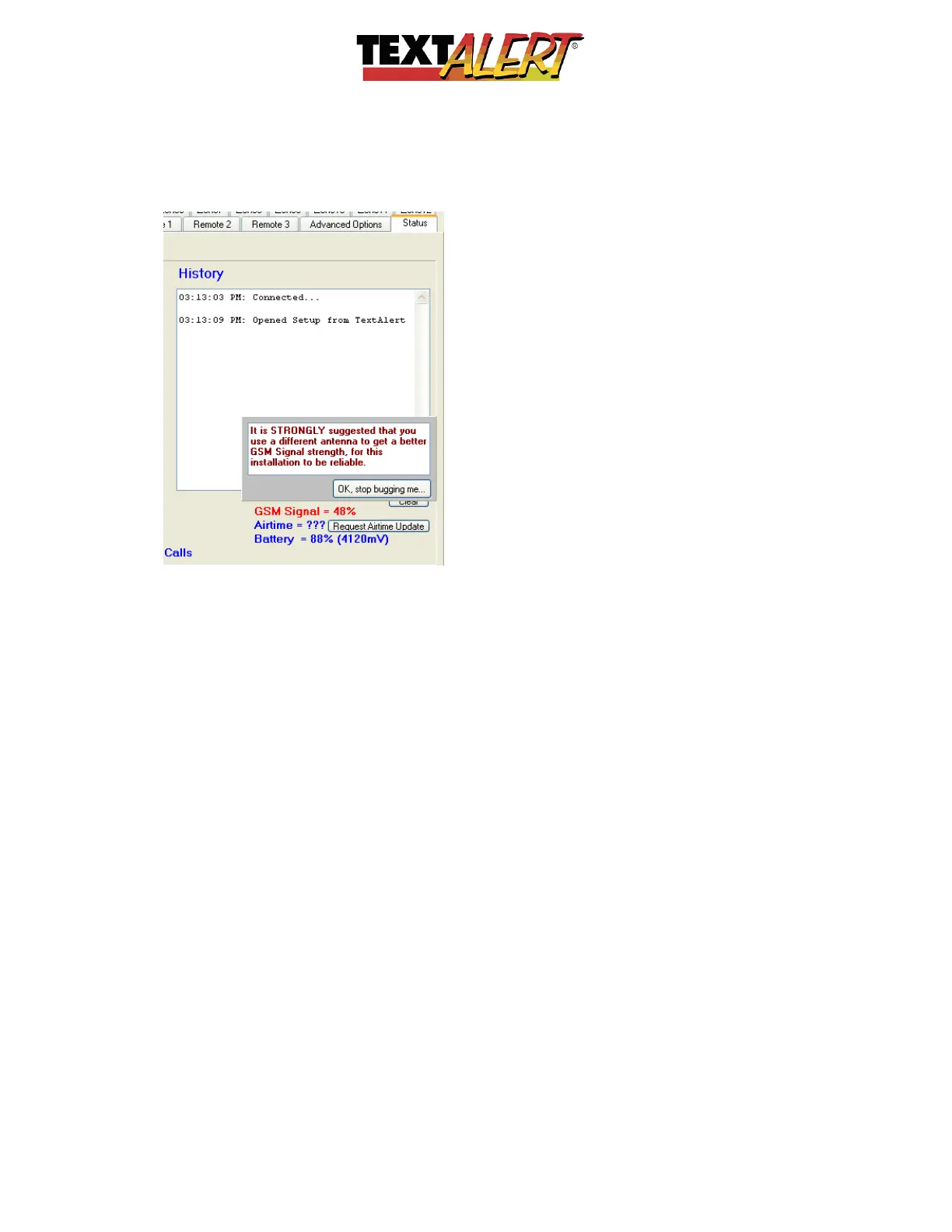
o Cell Low Signal – This means you have low cellular signal strength. If your TextAlert is
linked to your computer via a USB cable, you can review the actual signal strength in
the “Status” tab/window – the example below shows a low signal strength warning. We
offer a high-gain antenna to rectify the problem:
o Cell Status – A 3-second interval flash is ideal.
o SIM-Card Error – The contacts may need cleaning or the SIM is faulty, or a pin number
is still active on the SIM. If the PIN is still active put the SIM into a cell phone and
remove the PIN through options in your cell phone menu.
o Battery Low – When this LED glows, the internal battery is running low. Plug unit into
the external power supply.
All you need now is:
• A cell phone SIM card (contract or prepaid) from any cell service provider.
• Sensors (supplied separately) Voice Alert VA6000T or other Voice Alert
sensor/transmitters.
• Install the GSM antenna. The TextAlert is supplied with a basic GSM antenna that is
suitable for all networks in the United States. If you are not in the United States contact
a local supplier of GSM/cellular products to acquire a local antenna. Screw the
antenna to the connector on the unit marked “GSM” (only finger-tight). If you have
problems getting signal for your TextAlert, place the SIM card in your cell phone and
check on the screen of your cell that there is sufficient strength. On a phone with a 4 or
5-bar signal strength indicator, you should have at least 1-2 bars of signal. If the signal
is too weak, the TextAlert may have trouble sending or receiving SMS messages. In
these cases, try and find a better location for TextAlert. Because the antennas are



 To Next Page
 Loading...