EasyManua.ls Logo

TFA 30.1035 - User Manual

TFA 30.1035
18 pages
Go to English
Print Icon
To Next Page IconTo Next Page
Loading...
Kat. Nr. 30.1035
Bedienungsanleitung
Operating Instructions
Mode d’emploi
Istruzioni
Instrucciones para el manejo
Gebruiksaanwijzing
TFA_No. 30.1035_Anleitung 29.09.2009 10:53 Uhr Seite 1
Question and Answer IconNeed help?

Do you have a question about the TFA 30.1035 and is the answer not in the manual?

Summary

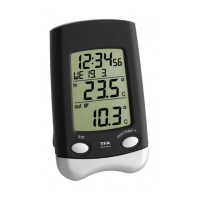
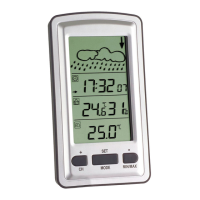
VISION SOLAR Digital Window Thermometer

Installation

Fix holder with adhesive outside. Clean window glass. Hang up and demount easily.

Getting Started

Remove holder, pull foil, open battery compartment, insert batteries, close compartment. Unit is ready.

Manual Clock Setting

Press MODE for hours flashing. Press +1 to adjust hours. Confirm with MODE. Press +1 for minutes.

Display Unit and Time Format Change

Press +1 to change °C/°F and 24/12 hour format. AM/PM appears.

Daylight Saving Time Adjustment

Press +/-1hr to switch between Daylight Saving and Standard Time.

Backlight Functionality

Solar cells recharge battery. ECO slide controls time-controlled illumination based on darkness.

Temperature Display Information

Middle display shows current temp. Lower display shows minimum and maximum temps.

Important Usage Notes

Displayed temp may exceed outdoor temp due to heat emission & window location.

MAX;MIN Temperature Tracking

Automatic updates at 8:00 (max) and 20:00 (min). Set actual time to activate.

Product Specifications

Measuring range: -25°C to +70°C. Batteries: 1x 1.2V AAA rechargeable, 1x 1.5V AAA.

Battery Replacement Procedure

Replace 1.5V AAA when weak. Use alkaline batteries. Handle leaked batteries safely.

Maintenance and Care

Avoid extreme temps, vibration, shock. Do not touch probe. Keep away from interference.

Safety, Warranty, and Intended Use

For home use only. Not a toy. Improper use voids warranty. Keep out of reach of children.

Summary

VISION SOLAR Digital Window Thermometer

Installation

Fix holder with adhesive outside. Clean window glass. Hang up and demount easily.

Getting Started

Remove holder, pull foil, open battery compartment, insert batteries, close compartment. Unit is ready.

Manual Clock Setting

Press MODE for hours flashing. Press +1 to adjust hours. Confirm with MODE. Press +1 for minutes.

Display Unit and Time Format Change

Press +1 to change °C/°F and 24/12 hour format. AM/PM appears.

Daylight Saving Time Adjustment

Press +/-1hr to switch between Daylight Saving and Standard Time.

Backlight Functionality

Solar cells recharge battery. ECO slide controls time-controlled illumination based on darkness.

Temperature Display Information

Middle display shows current temp. Lower display shows minimum and maximum temps.

Important Usage Notes

Displayed temp may exceed outdoor temp due to heat emission & window location.

MAX;MIN Temperature Tracking

Automatic updates at 8:00 (max) and 20:00 (min). Set actual time to activate.

Product Specifications

Measuring range: -25°C to +70°C. Batteries: 1x 1.2V AAA rechargeable, 1x 1.5V AAA.

Battery Replacement Procedure

Replace 1.5V AAA when weak. Use alkaline batteries. Handle leaked batteries safely.

Maintenance and Care

Avoid extreme temps, vibration, shock. Do not touch probe. Keep away from interference.

Safety, Warranty, and Intended Use

For home use only. Not a toy. Improper use voids warranty. Keep out of reach of children.

TFA 30.1035 Specifications

General IconGeneral
BrandTFA
Model30.1035
CategoryWeather Station
LanguageEnglish

Related product manuals