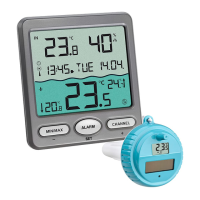
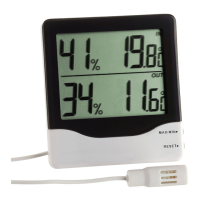
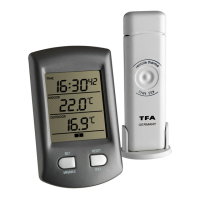
RATIO – Wireless thermometer
1918
11. Troubleshooting
Problems Solution
No indication ➜ Ensure correct battery polarity
➜ Change the batteries
No transmitter reception ➜ Start the transmitter search manually
Display “---“ according to the manual
➜ Check batteries of external trans-
mitter (do not use rechargeable
batteries!)
➜ Restart the transmitter and the dis-
play unit according to the manual
➜ Choose another place for the
transmitter and/or the display unit
➜ Reduce the distance between the
transmitter and the display unit
➜ Check if there is any source of
interference
No DCF reception ➜ Wait for attempted reception
during the night
➜ Choose another place for the
instrument
➜ Check if there is any source of
interference
➜ Restart the device according to the
manual
➜ Set the clock manually
Incorrect indication ➜ Change the batteries
12. Waste disposal
This product has been manufactured using high-grade materials and
components which can be recycled and reused.
Never dispose of empty batteries and rechargeable batter-
ies in household waste. As a consumer, you are legally
required to take them to your retail store or to appropriate
collection sites depending on national or local regulations
in order to protect the environment.
RATIO – Wireless thermometer
8. Additional transmitters
• If you like to connect additional transmitters (max. 3), repeat the
installation procedure for all extra transmitters. The wireless ther-
mometer will number the transmitters in the order of set-up auto-
matically.
• If you have installed more than one transmitter, press the RESET/CH/+
button to change between the outdoor transmitters. Display for chan-
nel 1 , for channel 2 or for channel 3 .
9. Positioning of display unit and transmitter
• Choose a shady and dry position for the transmitter. (Direct sunshine
falsifies the measurement and continuous humidity strains the elec-
tronic components needlessly).
• Place the display unit at the final position. Avoid the vicinity of any
interfering field like computer monitors or TV sets and solid metal
objects.
• Check the transmission of the signal from the transmitter to the dis-
play unit (transmission range 100 m free field, within ferro-concrete
rooms, especially with metal parts, the received signal is naturally
weakened).
• If necessary choose another position for transmitter and/or display
unit.
• Use the bracket stand for mounting or standing when the signal is
received successfully.
10. Care and maintenance
• Clean the instruments with a soft damp cloth. Do not use solvents or
scouring agents.
• Remove the batteries if you do not use the products for a lengthy
period.
• Keep the instruments in a dry place.
10.1 Battery replacement
• When the batteries are used up, the low battery indicator appears on
the display (RX = base station, TX = transmitter).
• Please note:
When the batteries are changed, the contact between transmitter and
display unit must be restored – so always insert new batteries into
both units or start a manual transmitter search.


 To Next Page
 Loading...