25 24
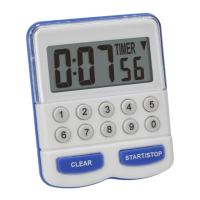
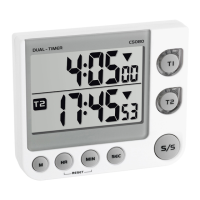
Digital dual timer
8.1 Battery replacement
• Replace the batteries when the display starts to fade.
• Open the battery compartment and insert two new batteries 2 x 1.5 V
AAA. Make sure they have the correct polarity. Close the battery com-
partment again.
9. Troubleshooting
Problems Solution
No indication ➜ Ensure that the battery polarity is
correct
➜ Change the batteries
Incorrect indication ➜ Change the batteries
If your device fails to work despite these measures contact the supplier
from whom you purchased it.
Digital dual timer
10. Waste disposal
This product has been manufactured using high-grade materials and
components which can be recycled and reused.
Never dispose of empty batteries and rechargeable batteries
in household waste.
As a consumer, you are legally required to take them to your
retail store or to appropriate collection sites depending to
national or local regulations in order to protect the environ-
ment.
The symbols for the heavy metals contained are:
Cd=cadmium, Hg=mercury, Pb=lead
This instrument is labelled in accordance with the EU Waste
Electrical and Electronic Equipment Directive (WEEE).
Please do not dispose of this instrument in household waste.
The user is obligated to take end-of-life devices to a desig-
nated collection point for the disposal of electrical and elec-
tronic equipment, in order to ensure environmentally-com-
patible disposal.
TFA_No. 38.2025_Anleit_12_20 15.12.2020 16:57 Uhr Seite 13


 To Next Page