23 22
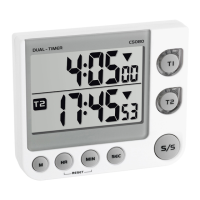
Digital dual timer
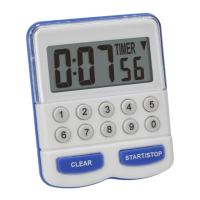
• Press and hold M button for 2 seconds.
• 0:00 flashes on the display.
• Push the HR button to set the hours, the MIN button to set the minutes
and the SEC button to set the seconds of the desired time.
• Confirm the setting with the M button.
• Press M button to recall the preset time.
• Push the HR and MIN button at the same time to reset the timer.
7.3 Stopwatch
• Press T1 or T2 to select a timer.
• Push the HR and MIN button at the same time to reset the timer.
• Push the S/S button to start the count up-process. ▲ appears in the
display.
• Use the S/S button to stop and restart the counting.
7.4 Setting of alarm sound
• With the switch at the right side set the volume for the alarm.
Hi: high
Digital dual timer
Lo: low
Mute
• The marking in the middle of the switch shows the selected
volume.
7.5 Fixing
• With the foldable leg the instrument can be placed onto flat surfaces.
• With the foldable suspension device you can fix the instrument with a
nail at the wall.
• Use the two magnets at the back of the instrument for placement on
metal surfaces.
8. Care and maintenance
• Clean it with a soft damp cloth. Do not use solvents or scouring
agents. Protect from moisture.
• Remove the batteries if you do not use the product for a long period of
time.
• Keep the instrument in a dry place.
TFA_No. 38.2025_Anleit_12_20 15.12.2020 16:57 Uhr Seite 12


 To Next Page