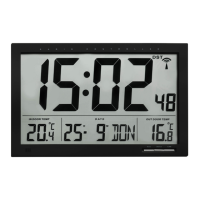
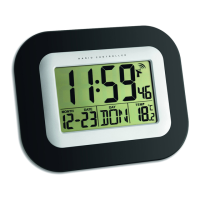
Radio controlled alarm clock with temperature
1312
• Day-of-week language: German (GER), English (ENG), Italian (ITA), French (FRE), Dutch
(DUT), Spanish (SPA) and Danish (DAN).
• The manually set time will be overwritten by the DCF time when the signal is received suc-
cessfully and the symbol appears on the display.
4.2 Alarm clock function
• Press and hold ALARM button for 2 seconds.
• 0:00 or the last adjusted alarm time and AL appears on the display.
• The hour digits start flashing.
• Press ▲ or ▼ button to adjust the hours.
• Confirm with ALARM button.
• Set minutes in the same way.
• Confirm with ALARM button.
• To activate/turn off the alarm function, press ALARM button.
• appears/disappears on the display.
• When alarm time is reached the alarm signal will sound and increase gradually in frequen-
cy and volume.
• Press any button to stop the alarm or press SNOOZE button.
• Once the snooze function is activated, and Zz flashes on the display and the alarm
sound will be interrupted for 5 minutes.
• Press any button to stop the snooze function.
• If there is no man-made stop, the clock will automatically turn off after 2 minutes and will
be activated again at the same alarm time.
4.3 Temperature display
• By pressing the
▼
button the temperature unit can be changed from °C to °F.
Radio controlled alarm clock with temperature
Please take note of the following:
• Recommended distance to any interfering sources like computer monitors or TV sets is a
minimum of 1.5 - 2 metres.
• Within ferro-concrete rooms (basements, superstructures), the received signal is naturally
weakened. In extreme cases, please place the unit close to a window and/or point its front
or back towards the Frankfurt transmitter.
• During night-time, the atmospheric disturbances are usually less severe and reception is
possible in most cases. A single daily reception is adequate to keep the accuracy deviation
below 1 second.
• The radio controlled clock receives the signals at 1:00 o'clock in the morning (5 times).
4.Operation
• Important: Buttons will not function while scanning the DCF signal.
• The instrument will quit the setting mode, if there is no button used within 30 seconds.
• Hold ▲ or ▼ button, you will enter fast mode.
4.1 Manual setting of clock and calendar
• Press and hold SET button for 2 seconds.
• 24 Hr flashes on the display.
• Press ▲ or ▼button to choose 12 HR (PM or AM appears on the display) or 24 HR system.
• Press SET button and the setting sequence is shown as follows: Time zone (00 flashes;
set -12/+12 hours), hours, minutes, year, month, day and day-of-week language and adjust
with ▲ or ▼ button.
• The time zone is used for countries where the DCF signal can be received, but the time
zone is different from the DCF time (e.g. +1=one hour later).
TFA_No. 60.4503_Anleitung_ 31.01.2011 13:35 Uhr Seite 7


 To Next Page