EasyManua.ls Logo

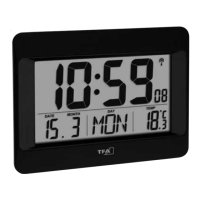
TFA 60.4520 - User Manual

TFA 60.4520
22 pages
Go to English
Print Icon
To Next Page IconTo Next Page
Loading...
Bedienungsanleitung
Operating Instructions
Mode d’emploi
Istruzioni per l’uso
Gebruiksaanwiijzing
Instrucciones de uso
Kat. Nr. 60.4520.01
Instruction manuals
www.tfa-dostmann.de/en/service/downloads/instruction-manuals
TFA_No. 60.4520_Anleitung 11.12.2020 9:40 Uhr Seite 1
Question and Answer IconNeed help?

Do you have a question about the TFA 60.4520 and is the answer not in the manual?

Summary

Getting Started

Insert the Batteries

Procedure to insert AA batteries into the device, ensuring correct polarity and closing the cover.

Radio-controlled Time Reception

Explains the automatic DCF signal reception process and manual initialization.

Operation and Settings

Manual Settings

Guide to manually adjust time zone and day-of-the-week language.

DCF Reception Details

Information on default activation, manual deactivation, and manual time setting.

Alarm Time Setting

Steps to set the alarm time, activate it, and use the snooze function.

Maintenance and Disposal

Battery Replacement

Instructions for changing batteries when the battery symbol appears on the display.

Troubleshooting

Solutions for common issues like no display or no DCF reception.

Waste Disposal

Guidelines for environmentally responsible disposal of the product and batteries.

Product Specifications

Summary

Getting Started

Insert the Batteries

Procedure to insert AA batteries into the device, ensuring correct polarity and closing the cover.

Radio-controlled Time Reception

Explains the automatic DCF signal reception process and manual initialization.

Operation and Settings

Manual Settings

Guide to manually adjust time zone and day-of-the-week language.

DCF Reception Details

Information on default activation, manual deactivation, and manual time setting.

Alarm Time Setting

Steps to set the alarm time, activate it, and use the snooze function.

Maintenance and Disposal

Battery Replacement

Instructions for changing batteries when the battery symbol appears on the display.

Troubleshooting

Solutions for common issues like no display or no DCF reception.

Waste Disposal

Guidelines for environmentally responsible disposal of the product and batteries.

Product Specifications

TFA 60.4520 Specifications

General IconGeneral
Case MaterialPlastic
DisplayDigital
MountingWall mount
Time Signal ReceptionDCF-77
Power SourceBattery operated

Related product manuals